
10 Reasons to Build Your Website with WP Page Builder
- Category : WordPress
- Posted on : Oct 17, 2018
- Views : 3,409
- By : Icarus M.
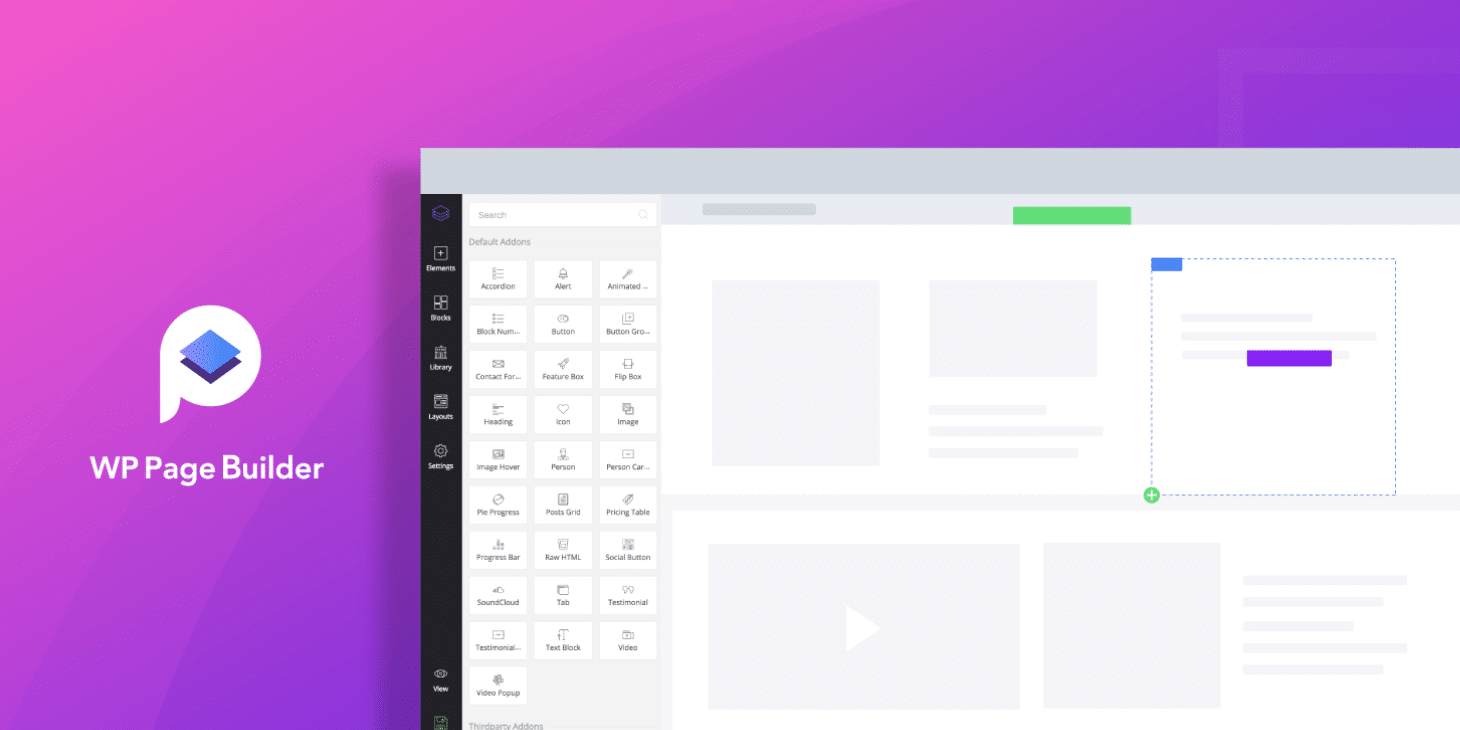
People’s quest for creating websites has easily taken us to a new era of site development. Where, with the availability of robust page building tools, creating websites has become a lot more fun (especially for non-developers). The multitude of tools and plugins available to you is vast when you try building websites on WordPress. Today we’ll explore a new one, WP Page Builder. If you’re tired of the same old page builder plugins, this is one you should try out.
With a lot of design elements, add-ons, functionalities like device specific responsive controls, export/import options, padding adjustment, and above all, drag & drop real-time frontend editing system, WP Page Builder has everything in it to power a full-fledged website. It’s an all-in-one WordPress plugin for your site building needs.
It’s a free WordPress page builder plugin that helps you build beautiful websites like a pro
What’s Special About WP Page Builder?
Wondering what makes WP Page Builder so special? I would say, what doesn’t? It’s developed by the team over at Themeum, who has been creating WordPress themes since 2013. As mentioned above, the plugin is a full pack of essential site building elements with all modern functionality you’ve come to expect from a page builder plugin. Let’s have a look below at all of the juicy features WP Page Builder includes.
1. Drag & Drop Website Building
WP Page Builder offers a drag & drop site building system. You can easily add anything like text, buttons, icons or other elements to any page. You just need to drag the particular add-on and drop it on the place you want to have it. Everything happens before your eyes and you have complete control over everything.
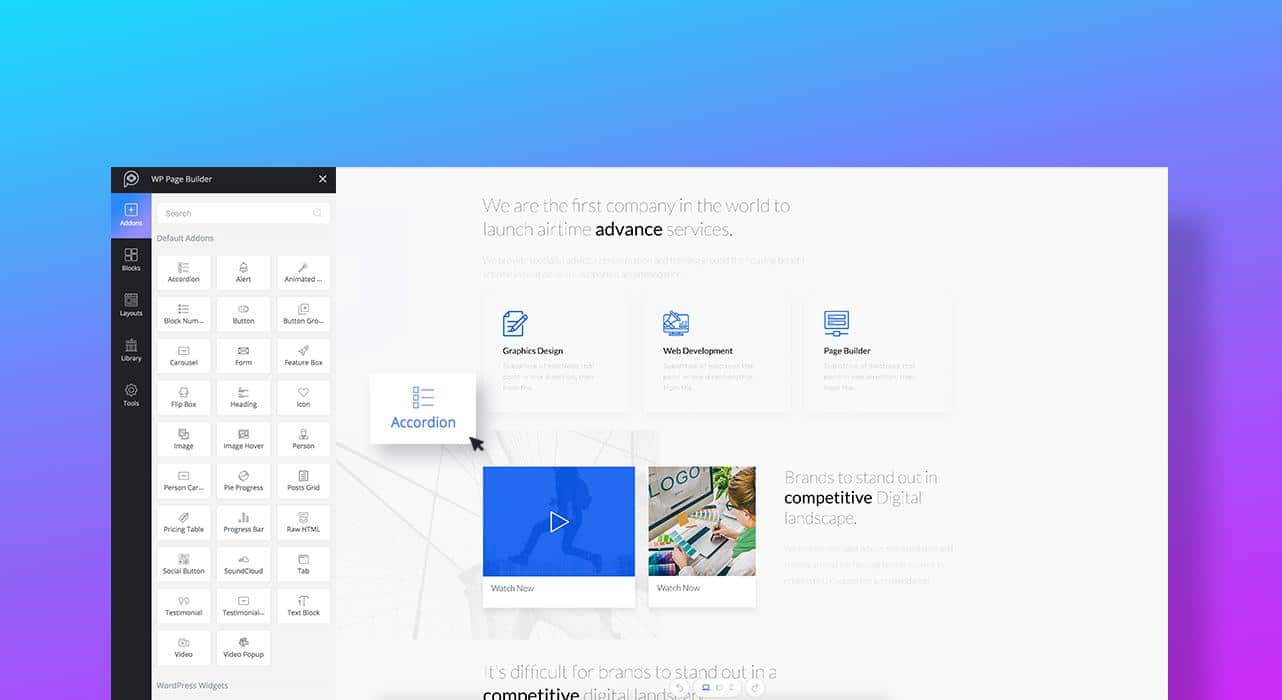
2. Faster, Real-Time Front-End Editing
The plugin is incredibly fast and superbly intuitive. It’s also very lightweight and takes remarkably less time than all other similar tools to create a stunning & functional site. It will change the way you build websites on WordPress. There are many ready elements already inside. You just need to know how to use them. Being built using the latest technologies, this tool helps you get your website ready in minutes.
If you don’t know how to write code but you want to build websites, WP Page Builder is the right tool for you. There is no need to write code to add any functionality or design to your web pages. WP Page Builder’s rich site building elements and the drag-and-drop functionality do the job for you.
Creating a new page and then editing it with WP Page Builder is incredibly easy. You can choose what layout the page is going to get while creating the page. Once chosen, just a clicking on “Edit with WP Page Builder” gets you there. You can select the number of columns and start dragging elements on them.
Enjoy a new site building experience with state of the art resources inside. Create beautiful web pages on a modern and pleasing user interface.
3. 30+ Add-Ons and Counting
Develop your website with elements like texts, images, icons, buttons, and more. There are plenty of add-ons in WP Page Builder to fully equip and deck out your site. Drag & drop the add-ons on web pages and then modify their looks the way you want.
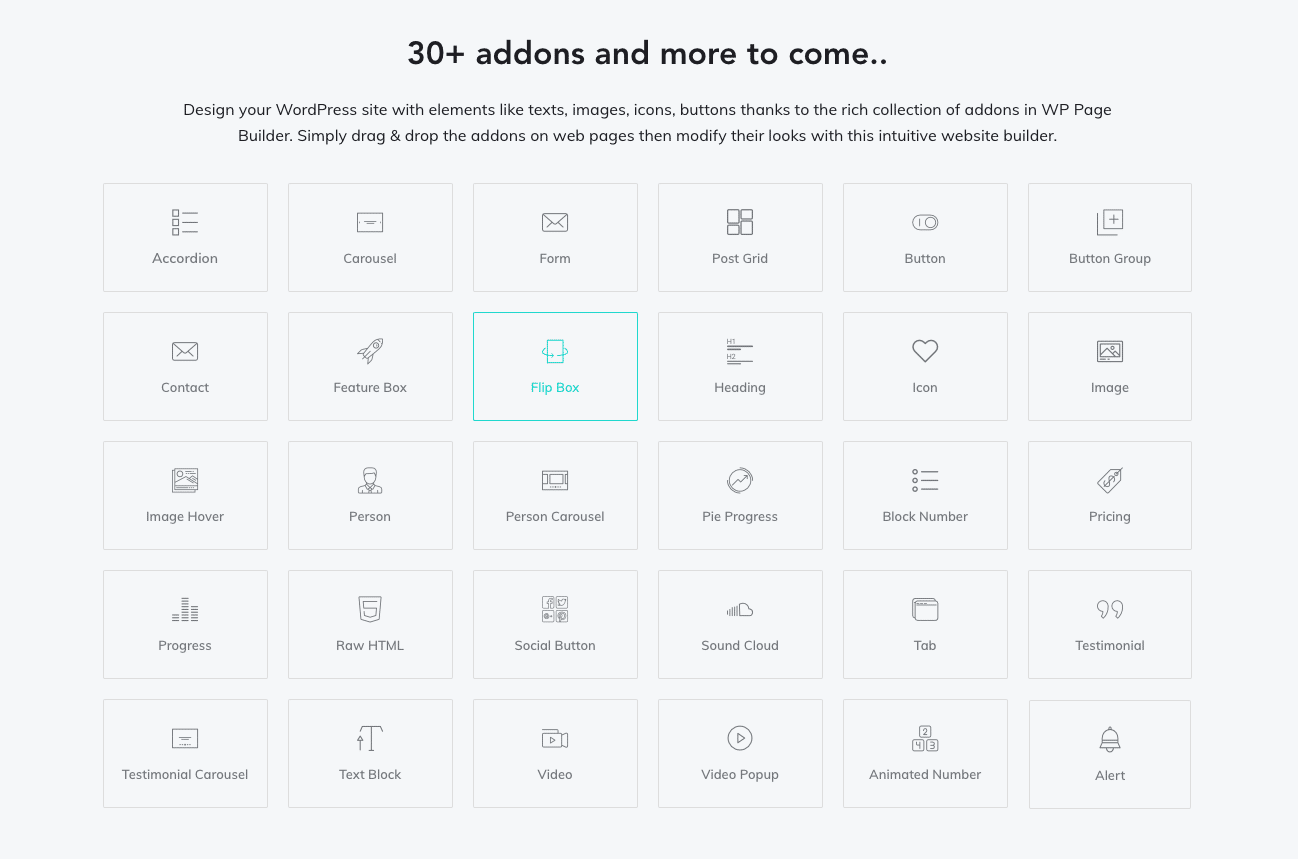
Here are some of the amazing add-ons included:
- Form: Create web forms effortlessly. It gives you a convenient way to style your forms as you desire. The Form add-on itself is capable of setting up any kind of form without needing to install any plugin. Moreover, you can manage form plugins and enable reCAPTCHA with just a simple click. There is also an add-on for Contact Form 7 if you prefer.
- Carousel: It’s hard to find an advanced add-on like a carousel in a free page builder plugin, but WP Page Builder lets you create stunning hero sliders without having to pay for it.
- Post Grid: Display blog posts in grids defining the number of posts and styling the look.
- Feature Box: Use the Feature Box add-on to display the features of products on your website.
- Accordion: Need any collapse text content on your site? Use WP Page Builder’s Accordion add-on and modify the style the way you want.
- Person Carousel: Besides displaying profiles and testimonials individually, you can also showcase them in carousels too. The Person Carousel and Testimonial Carousel add-ons will do that for you.
- Pricing Table: For services you offer or products you sell, you probably need pricing tables. Use the Pricing Table add-on in WP Page Builder to set up pricing tables easily.
- Flip Box: Have a flip-box with logo, title, text, and buttons, and change the flip options and style to look the way you want.
- Pie Progress: Place a pie progress element on your site with the Pie Progress add-on.
- Testimonial: Show what people think about your business anywhere on the site.
- Animated Number: Use this add-on to display animated numbers for better stats presentations.
- Social Button: Link to social media profiles using different buttons on your site.
- SoundCloud: Add audio bits from SoundCloud.
4. Device Specific Responsiveness Controls
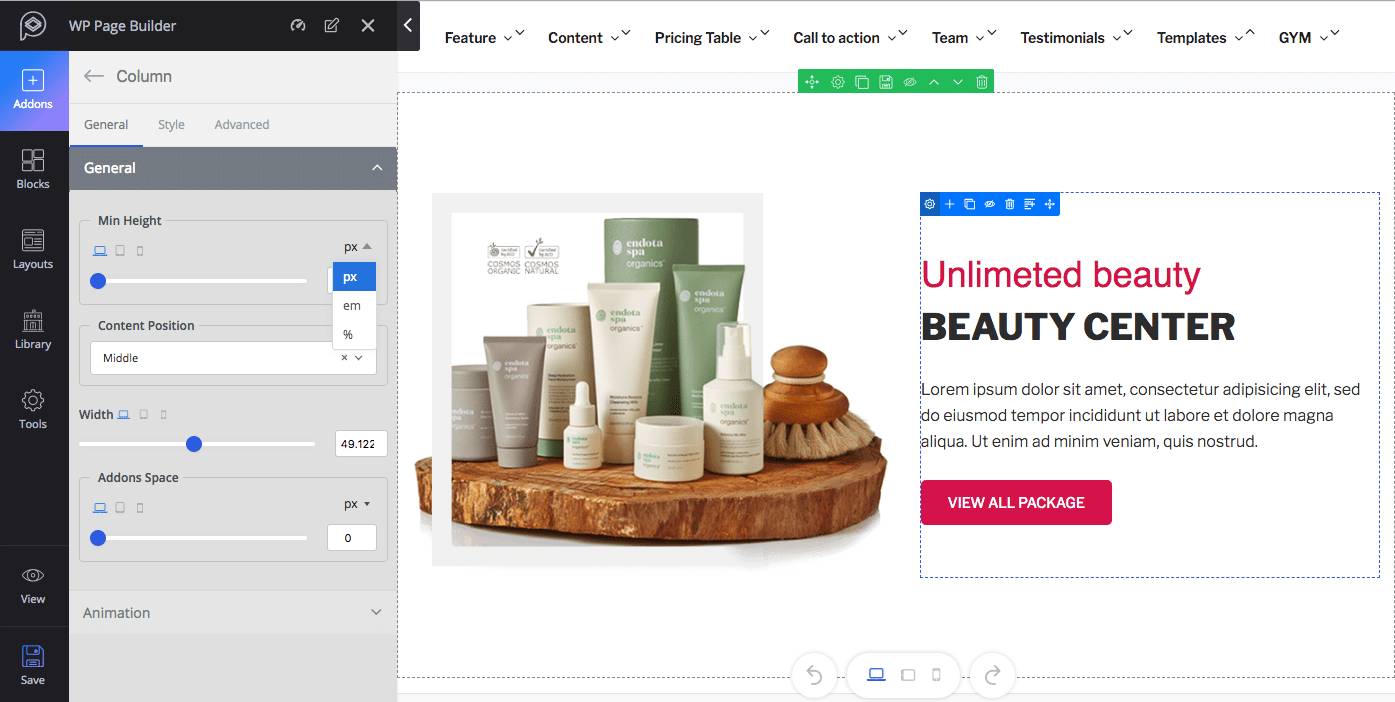
You can determine the way your website looks on different size of devices. The device specific responsiveness controlling system in WP Page Builder lets you adjust and optimize web pages for desktops, tablets, and mobile phones easily.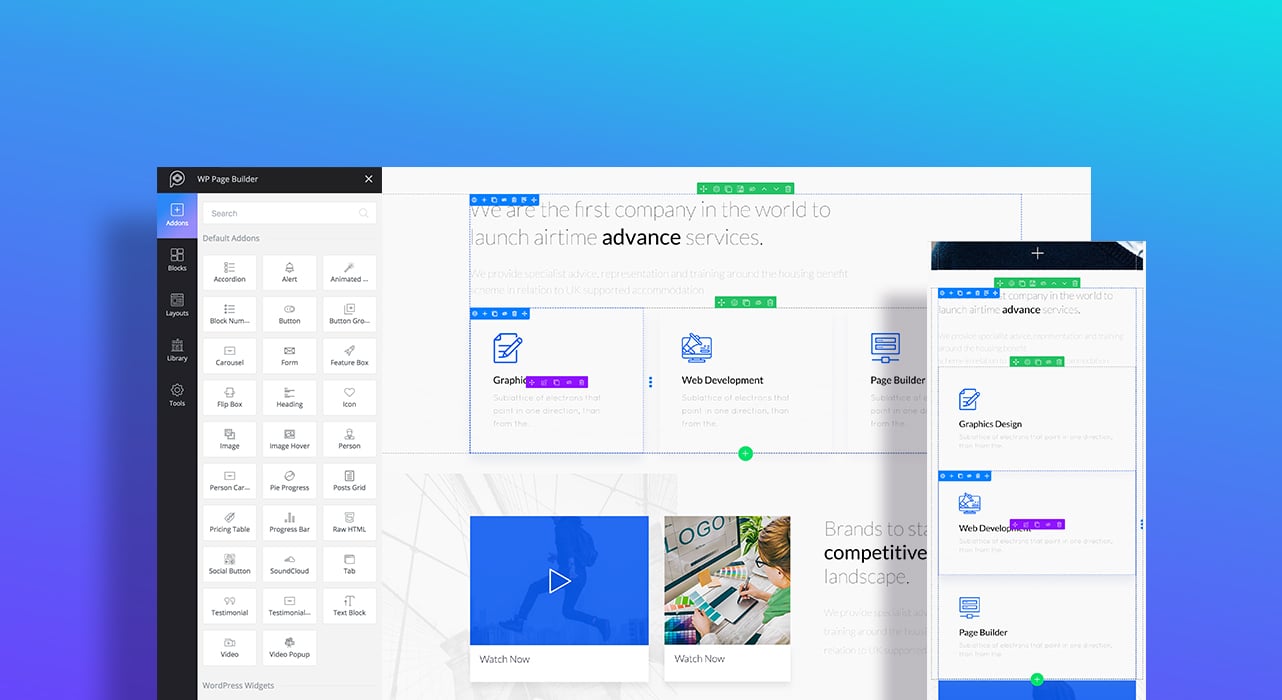
The process of making web pages responsive with only a single unit (pixel) does not make a page builder smart. WP Page Builder introduces multiple responsiveness units. Alongside pixels, you can also determine the responsive breakpoint with rem and percentage units. You can change the element sizes and even show/hide specific elements for specific devices.
5. Plenty of Premade Layouts
Whatever the type of website you want to build, a wide range of predesigned templates inside WP Page Builder has got you covered. Choose any layout that matches your cause the most, customize them with your contents, and launch a complete website in minutes.
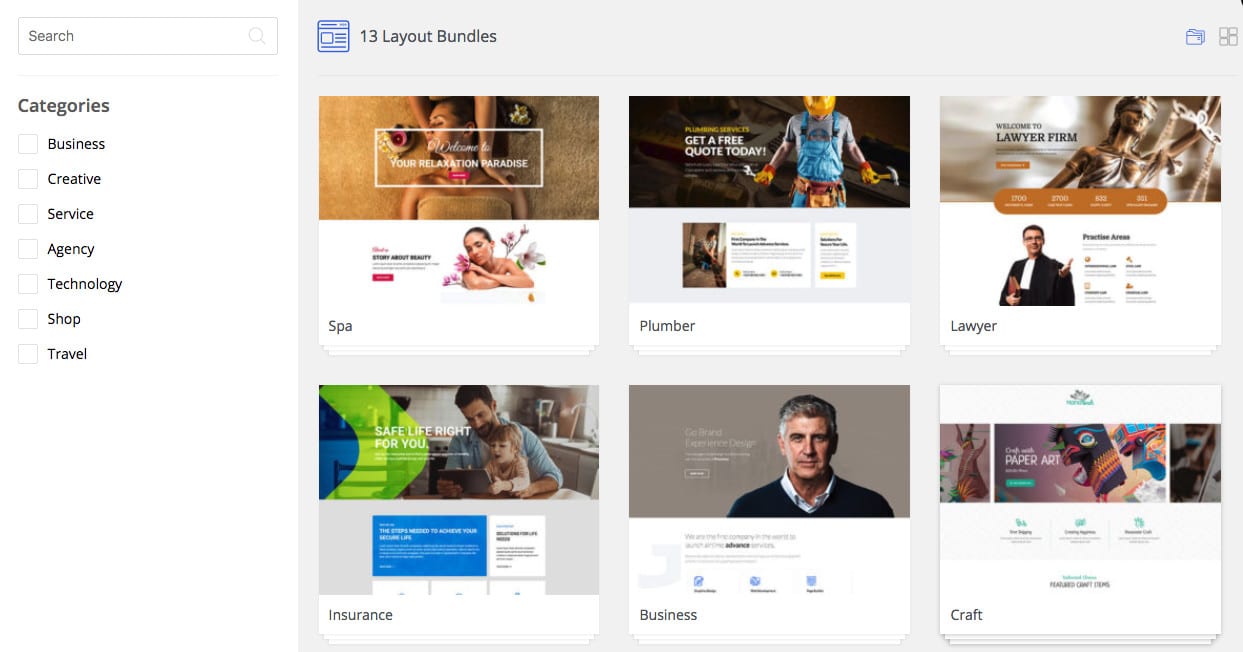
These readymade layouts come in the form of layout packs. The most popular layout packs are:
- Business: Built for any type of business websites. Companies or business firms needing to showcase portfolios, profiles, and services can take the best advantage of this layout pack. The available pages in this pack include: Home, About, Team, Portfolio, Pricing, Contact, and Services.
- Insurance: Perfect for any finance related company, corporate firm, or agency that provide insurance services. The pack comes with three built-in pages namely: Home, About, and Services.
- Spa: Made for beauty salons, beauty parlors, hair and nail salons, barber lounges, and all other similar business websites. Currently, the Spa pack has three pages: Home, Offer, and Packages.
- Plumber: For different services like plumbing, painting, carpentry, handyman, housekeeping, domestic cleaning, and repair utility websites. The pages include: Home, About, and Services.
- Architecture: Built for home decor, architectural design, and other relevant corporate firms. The built-in pages include: Home, About, and Services.
- Lawyer: Made for lawyers, individuals, and law firms providing services related to law. The available pages include: Home, About, Notice, Contact, and Services.
- Salon: For any hair salon, nail salon, barber lounge, and other relevant business websites. The premade pages include: Home, About, and Style Showcase.
- Third-party page layouts: You can get additional page layouts in WP Page Builder’s Layouts section. Build a plugin that holds your page layouts. Install and activate that plugin to be able to use them. Making web pages with your own page layouts is now a reality.
There are many other professional grade page layouts inside WP Page Builder. Picking the right layout is made easier with different categories. And the best part is, most of them come completely free.
6. Ready-Made Predesigned Blocks
WP Page Builder offers a lot of ready-to-use design blocks to make your site development process a lot faster and easier.
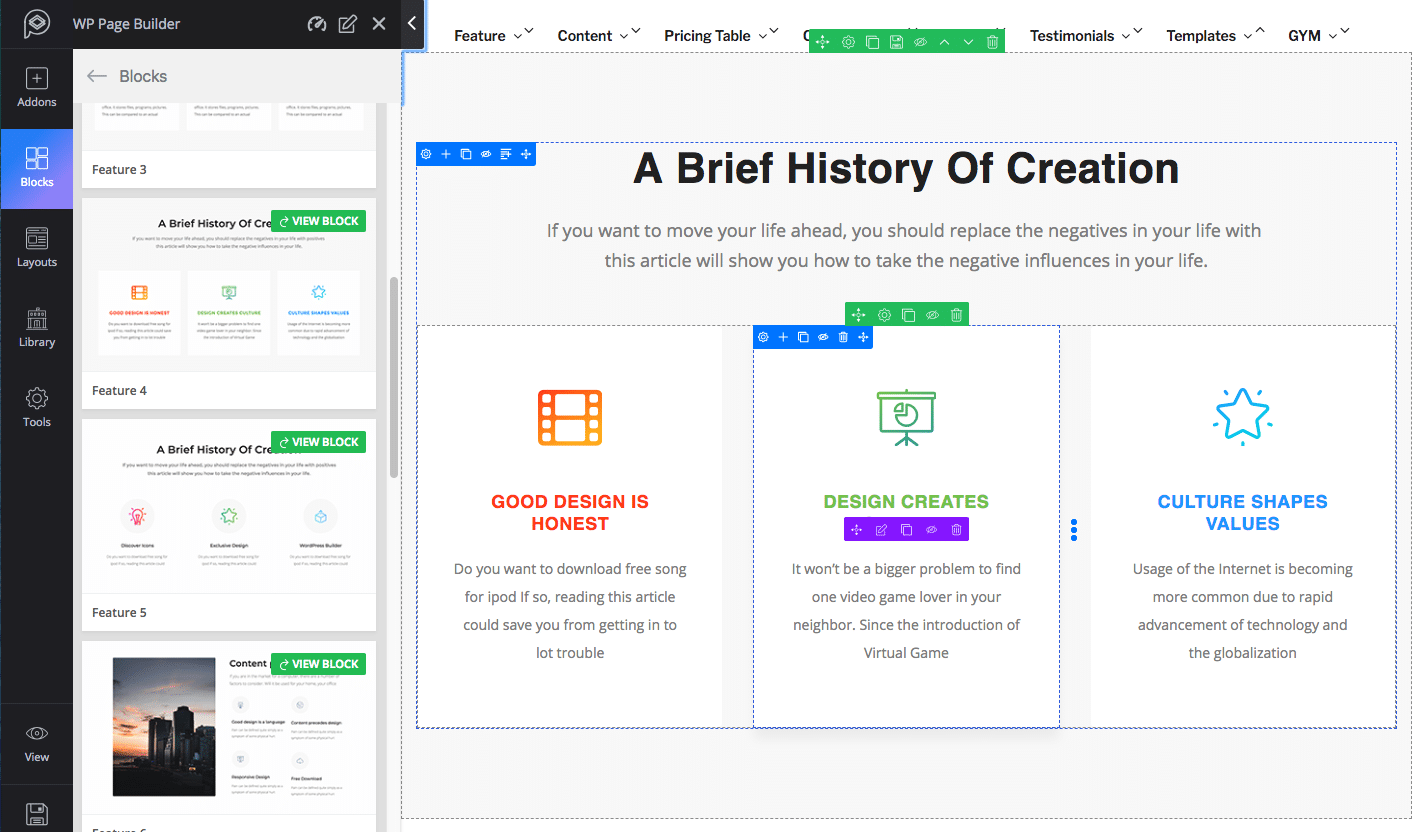
You can drag and drop the blocks on any page and it gets the design. The whole process completes itself in a blink of an eye. Like all other sections on the page, you can also modify the block’s look and feel. There’s a “view block” button on each block to check how they look on the live site.
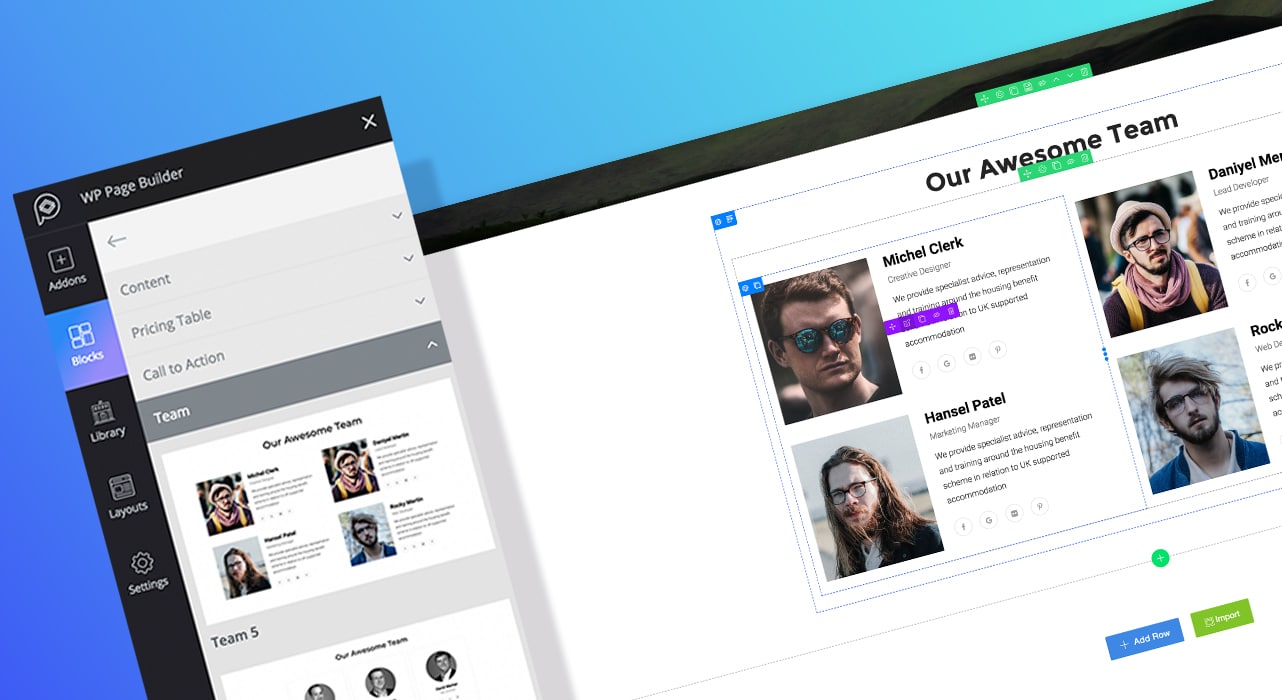
The blocks come in different categories. Find them by using the right keywords. The available categories are:
Feature: Use these blocks to showcase the features of your company, products, and services you offer on your website. There are many different designs to choose from. Select the one that goes with your design.
Testimonial: Need to share client feedback on your site? WP Page Builder’s Testimonial blocks come in handy in this case. You can pick your desired design, including these variations: Light, Dark, Slides, Grid Styled.
Team: Display your team members in a professional way with WP Page Builder’s ready elements. The available blocks have multiple design variations with different effects and behaviors. Each block has names, designations, and social links for the team members in different styles.
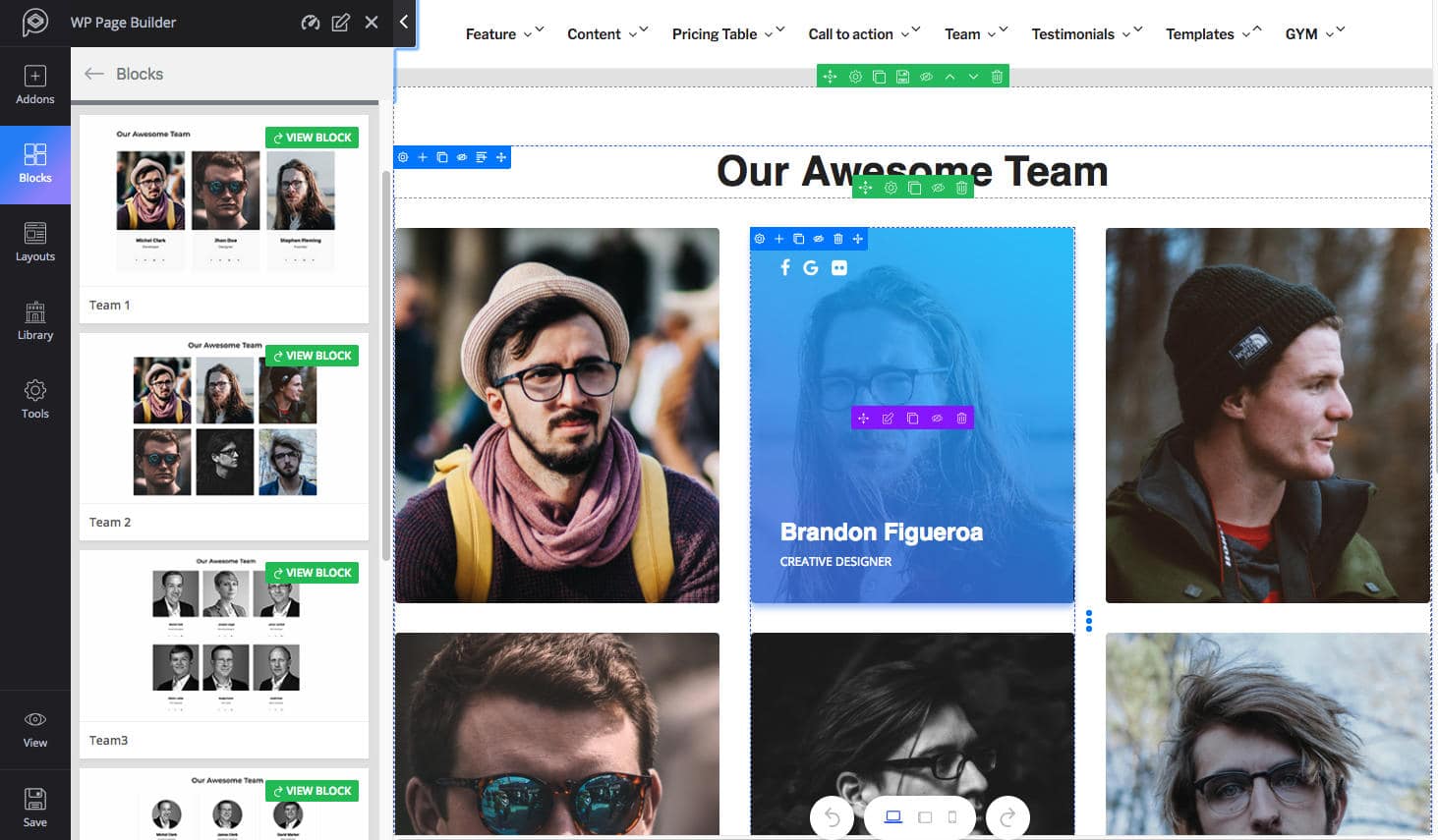
Call-to-action: Want your visitors to take certain actions on the site? Use the call to action blocks. You can have a call to action button with different visuals and texts to inspire visitors to click on them.
Pricing table: Have pricing tables of your products and services?. The blocks have multiple built-in pricing tables with features. Some of them also let you highlight the pricing plans.
Content: Beautifully designed content sections come as readymade blocks in WP Page Builder. Use any content block that you like for your website.
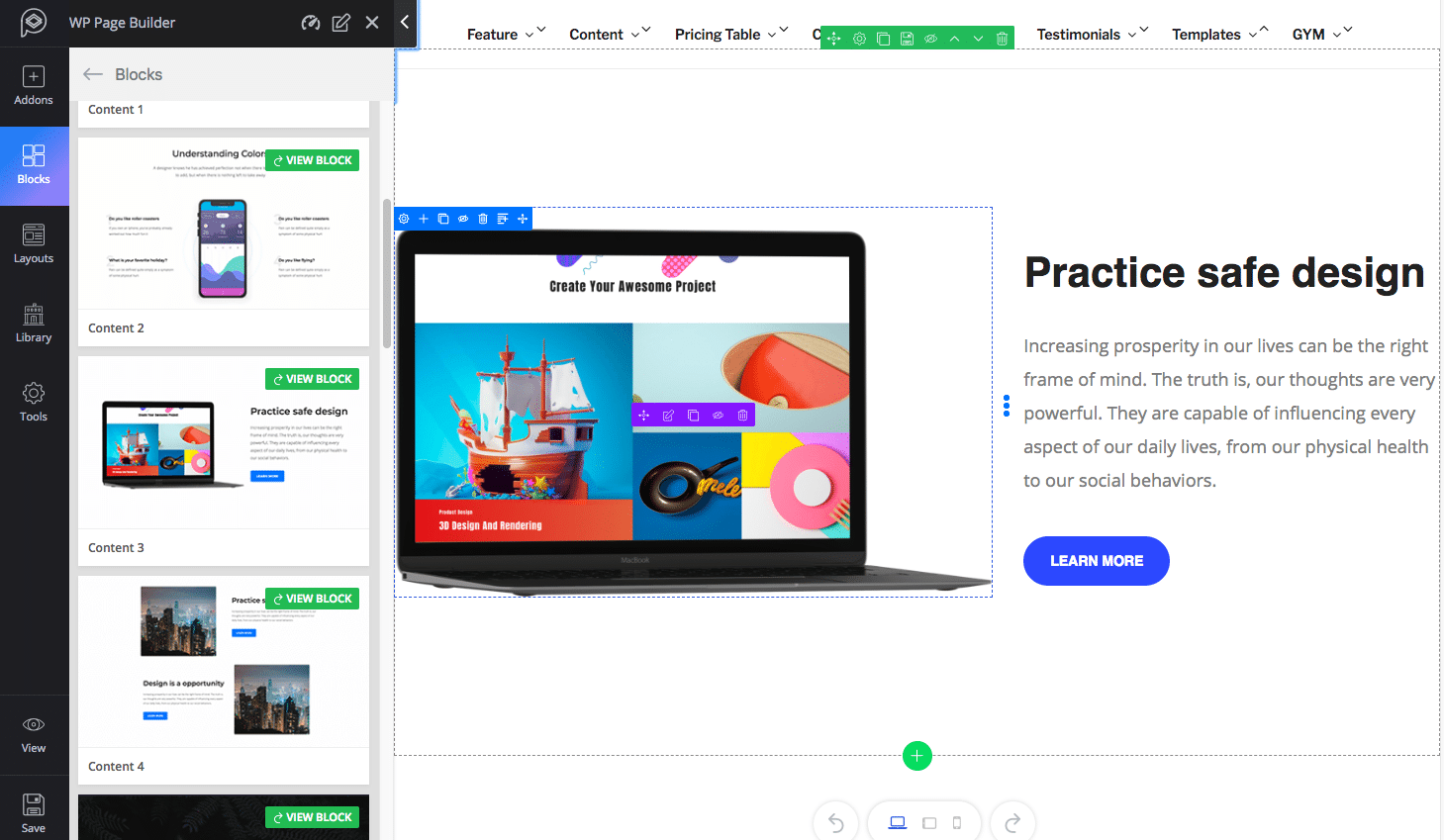
Third-party blocks: If you want to use blocks of your own choice beyond all these built-in blocks, you can surely do that with WP Page Builder. The tool supports third-party blocks.
There are tons of more blocks coming, the team behind WP Page Builder is very much keen on improving it.
7. Tons of Essential Icons
While building a site, icons play a pivotal role. Apart from the design, you need them to highlight or differentiate your content. WP Page Builder has a rich collection of font icons to meet this need.
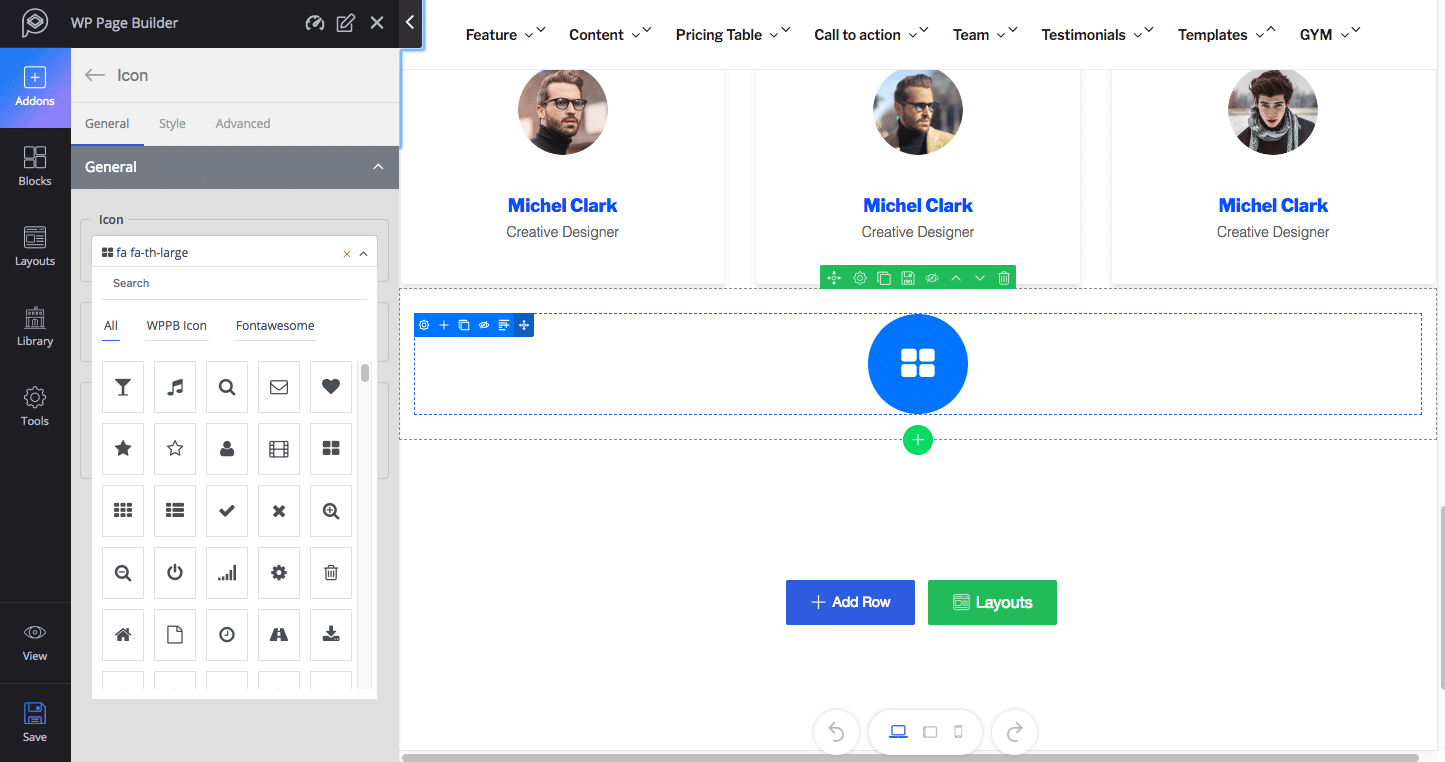
- Font Awesome: There are 670+ Font Awesome icons inside this WordPress page composer tool. You can easily use them anywhere on any content of your site.
- WPPB icons: Alongside Font Awesome icons, you can also utilize 340+ WPPB line icons on your web pages.
WP Page Builder lets you edit your website’s font styles and modify the colors.
8. Built with User-Friendliness in Mind
Anyone who knows WordPress should have a pretty easy time using WP Page Builder. The plugin brings a superbly versatile user experience on a wonderful interface that is a lot like the default WordPress ecosystem. The tool is effortless even for those that might be using WordPress for the very first time.
Considering all levels of WordPress users, WP Page Builder plugin has been built with all-inclusive features. It’s inspired and developed by pros, but it’s built for everyone.
9. Library to Save Your Own Blocks
You can easily reuse a previously designed section repeatedly on different pages of your website. The library system in WP Page Builder lets you store your own design blocks. Just save them in the library once, and you can then reuse them as many times as you want.
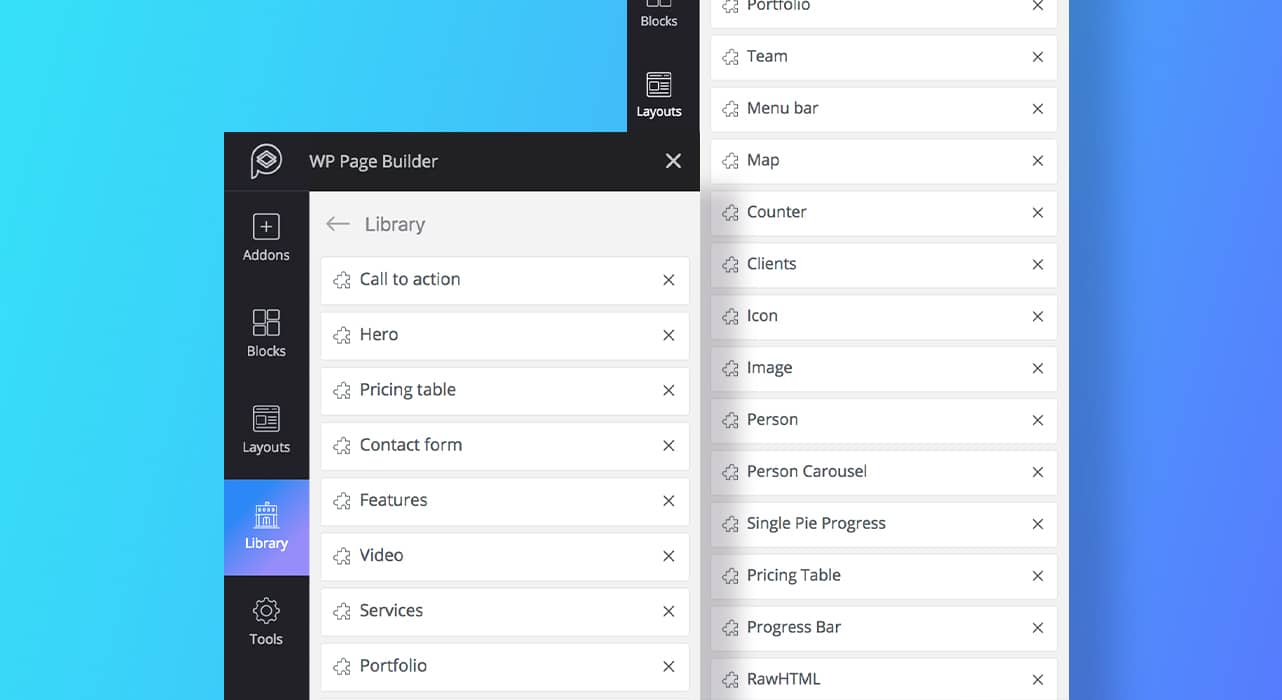
It’s your own library. After creating a content section in a row, hover over the row and click on the “Save Row” icon. Give it a name and hit the “Save” button. The row will be saved right at the bottom of the Library. Yes, it’s that simple.
10. Easy and Flexible Building Mechanism
WP Page Builder offers a wide variety of functionalities, which you can use develop a website easily and quickly. Elements on the site offer edit, duplicate, delete and other customization options while hovering over them in edit mode. Here are some of the exciting development benefits that this page builder offers.
- Create multiple row-column structures
Creating a row and determining the number of columns in it is just a click away with WP Page Builder. Upon clicking on “Add Row,” a panel with the number of columns pops up. Easily select the number you want. That’s it!
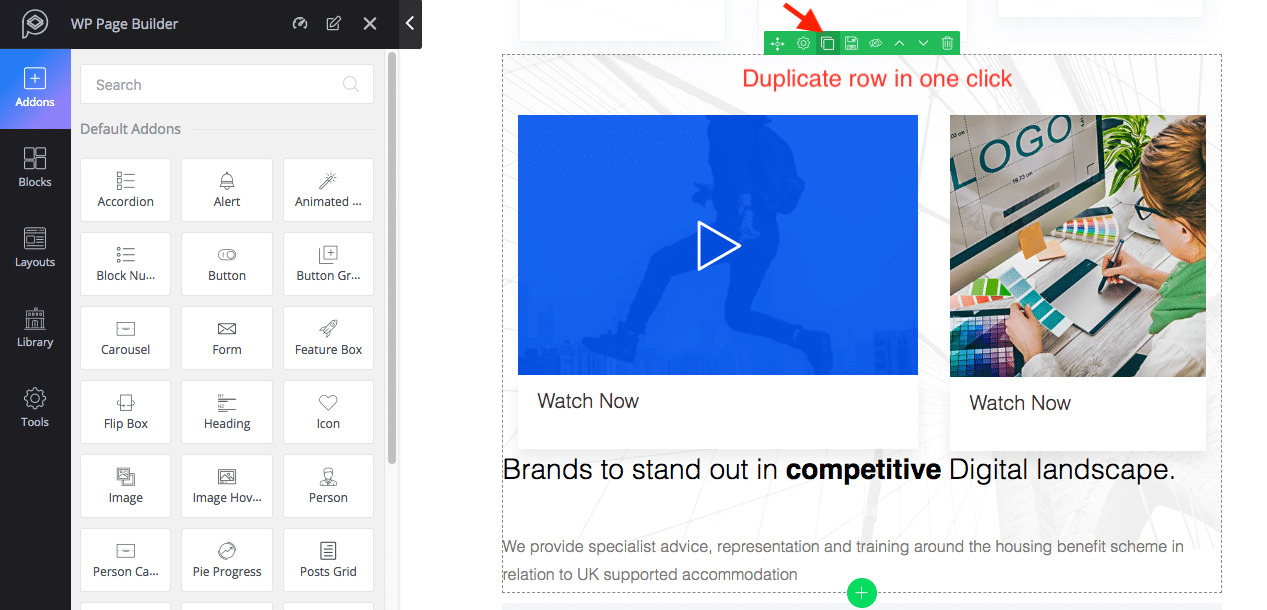
- Duplicate any element in one click
Once you have created a section, be it a column or a row, you don’t have to create it again. You can duplicate it in a single click. Find the “Duplicate” icon on the customization option panel and click it. Literally, you can duplicate anything on a page.
- Control column horizontal spacing (Gutter)
Adjusting spaces between columns is much easier with WP Page Builder’s column gutter. No matter the number of columns you have in a single row, you can easily determine the space between them. Drag the Gutter on the left sidebar to adjust the column horizontal spacing with their height and width.
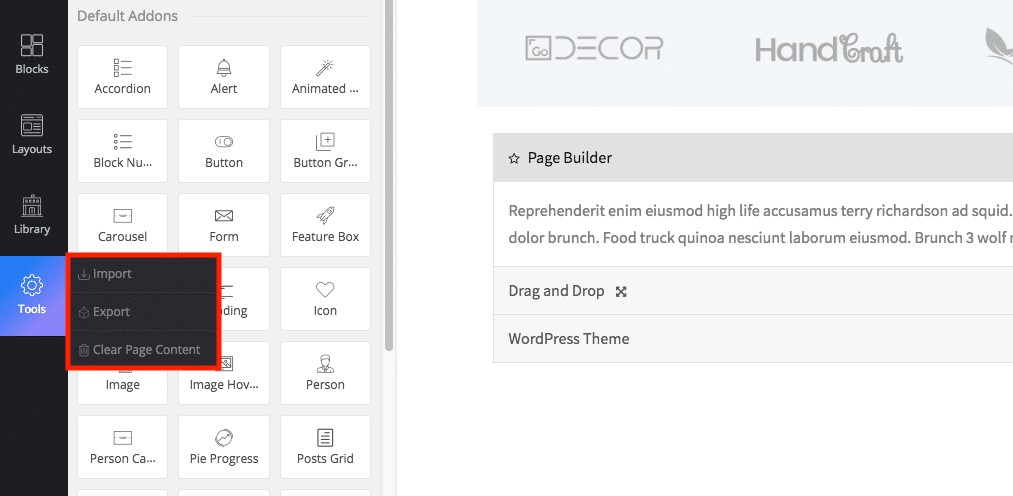
- Export, import, and clear page content
WP Page Builder lets you export pages you’ve created with it. You can also import pages from outside. There’s a menu called “Tools” in the left sidebar that lets you export, import, and clear a page content with three different sub-tools.
- Flexible padding adjustment by dragging
Want to set the content padding flexibly? You can literally play with it. Set the padding by dragging. The padding unit is also shown in pixel (px). All of the elements (addons, blocks, page templates, rows, and columns) get some padding by default, but you can easily adjust it.
- Unlimited undo/redo options
It doesn’t matter if you have deleted something by mistake. There are unlimited undo/redo options to revert those actions. So, no worries. The undo and redo buttons stay at the bottom of the page. While editing any page with WP Page Builder, you always have those buttons there to take action.
- Add custom CSS
Want to go beyond WP Page Builder’s existing customization options? Yes, you have the freedom to do so. There’s a system to add custom CSS to any element you have on the page. You just need to go to the Advanced styling option then add CSS. You can also call ids & classes and define a z-index to all elements if required.
WordPress Widget Support
Despite having such advanced elements inside, you might want to use WordPress widgets while building your site. The default widgets are shown just after the add-ons. These can be used anywhere on the page. Like the add-ons, the widgets can also be dragged and dropped.
Developer Support (Make Your Own Add-Ons)
Alongside a whopping 30+ addons to empower you to build sites with versatile page elements, developers who want to use their own addons for any extra functionality/design, can certainly do that. Developers can add their custom blocks and layouts to WP Page Builder easily. You can visit the plugin’s developer documentation for guidelines.
Summary
With WP Page Builder installed on your WordPress site, you have the power to create any website without being worried about responsiveness or writing a single line of code. The process is completely drag and drop. You might have used other page builders in the past, but I encourage you to give this one a try! If you’re a Host SEO client, install it on your staging site and play around without worrying about breaking anything. You can download it for free from the WordPress repository.
Have you used WP Page Builder already? If so, what were your thoughts? Leave them below in the comments.
Categories
Subscribe Now
10,000 successful online businessmen like to have our content directly delivered to their inbox. Subscribe to our newsletter!Archive Calendar

| Sat | Sun | Mon | Tue | Wed | Thu | Fri |
|---|---|---|---|---|---|---|
| 1 | 2 | |||||
| 3 | 4 | 5 | 6 | 7 | 8 | 9 |
| 10 | 11 | 12 | 13 | 14 | 15 | 16 |
| 17 | 18 | 19 | 20 | 21 | 22 | 23 |
| 24 | 25 | 26 | 27 | 28 | 29 | 30 |
| 31 | ||||||
Recent Articles
-

Posted on : Jul 25
-

Posted on : Jul 07
-

Posted on : Apr 07
-

Posted on : Mar 19
Optimized my.cnf configuration for MySQL 8 (on cPanel/WHM servers)
Tags
- layer 7
- tweak
- kill
- process
- sql
- Knowledge
- vpn
- seo vpn
- wireguard
- webmail
- ddos mitigation
- attack
- ddos
- DMARC
- server load
- Development
- nginx
- php-fpm
- cheap vpn
- Hosting Security
- xampp
- Plesk
- cpulimit
- VPS Hosting
- smtp
- smtp relay
- exim
- Comparison
- cpu
- WHM
- mariadb
- encryption
- sysstat
- optimize
- Link Building
- apache
- centos
- Small Business
- VPS
- Error
- SSD Hosting
- Networking
- optimization
- DNS
- mysql
- ubuntu
- Linux






