
The 15 Best Email Encryption Tools for Linux System
- Category : Linux Helpline (Easy Guide)
- Posted on : Apr 07, 2021
- Views : 7,190
- By : CentrioHost
Are you looking for the best email encryption tools for Linux? Because it’s essential to protect the contents of your emails from being viewed by others. The best way to do this is to encrypt them, which will stop others from accessing them. Anytime you send or receive sensitive information through an email service provider, you should always use some protection. Besides, many of these email security programs and software are available for Linux.
Best Email Encryption Tools for Linux
There are many email encryption tools that can make your life easier. We are going to discuss the features of the best tools. Besides, why it’s a great technology to use tools when securing your messages. By the time you have finished reading this article, you will know which is the best software to protect your emails on Linux.
1. Enigmail
According to user ratings, Enigmail is one of the most useful email encryption tools. Those who use Thunderbird email client are also familiar with Enigmail. Because it is a Thunderbirds extension, but it requires both Thunderbird and GnuPG for proper functioning. Enigmail encrypts your email according to OpenPGP protocol and sends it to the receiver. Similarly, the receiver can easily decrypt your message if he has this extension too.
Important Features of Enigmail
- Enigmail has a graphical user interface for customization and better management.
- Postbox and Interlink Mail & News both have extensions to use Enigmail.
- GNU Privacy Guard allows Enigmail for cryptographic functionality.
- It supports Autocrypt, which allows automatic key discovery and exchange.
2. Evolution
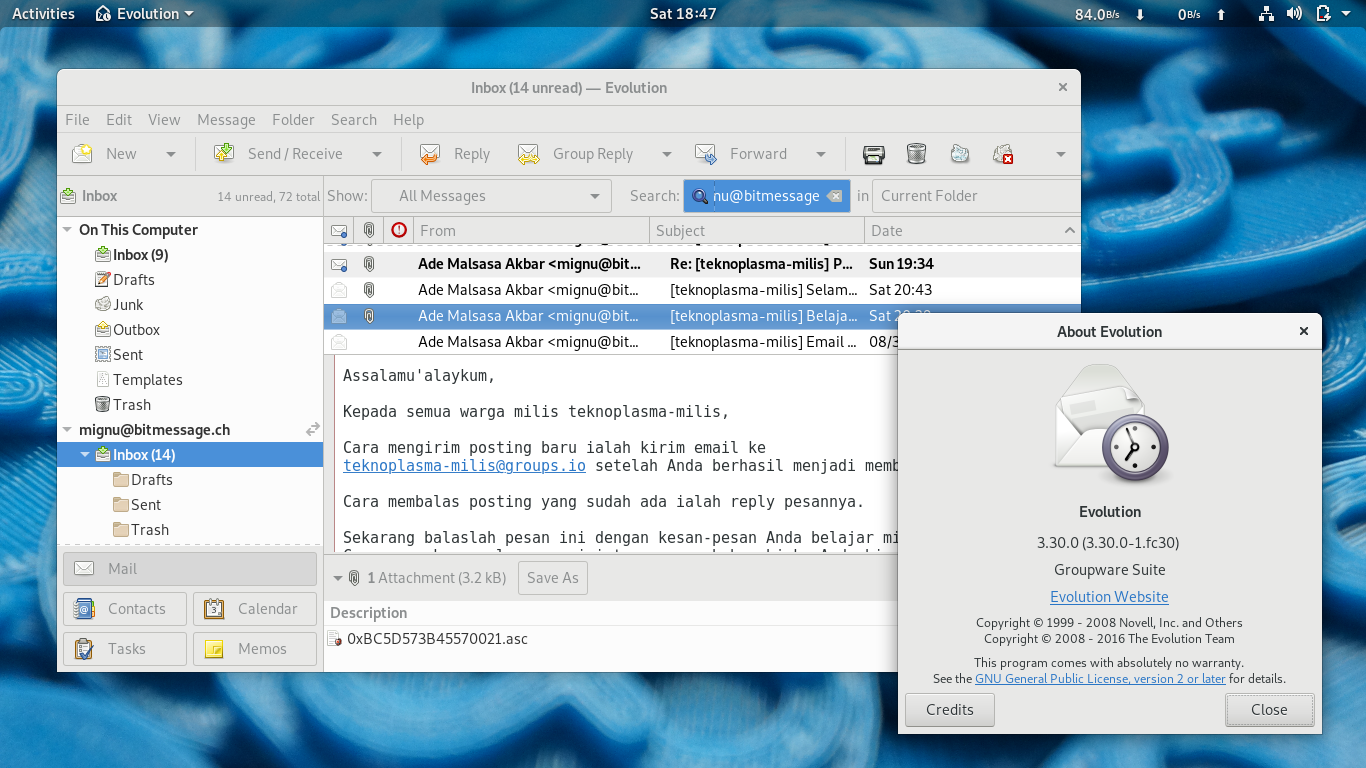
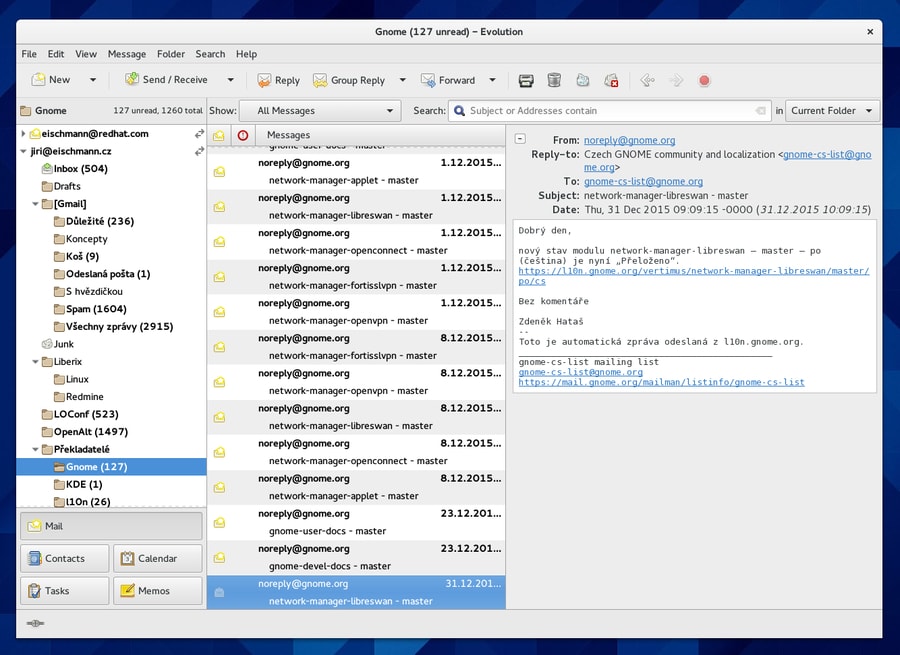
Evolution is one of the best email encryption tools for Linux. It is mainly built for Gnome DE. Though it looks similar to Outlook, but it has lots of features. You can use it as a personal management application also. Because it has a calendar, address book, and task manager functionality. Evolution uses GnuPGP protocol for email encryption with automatic sign and keys.
Important Features of Evolution
- You can use POP, IMP protocols, and SMTP for email transmission.
- You can integrate the Seahorse tool for key management and cryptographic features.
- To filter spam messages, there are two plugins. One is SpamAssassin, and another is Bogofilter.
- It supports both Google Calendar and iCalendar for calendar management.
3. KMail
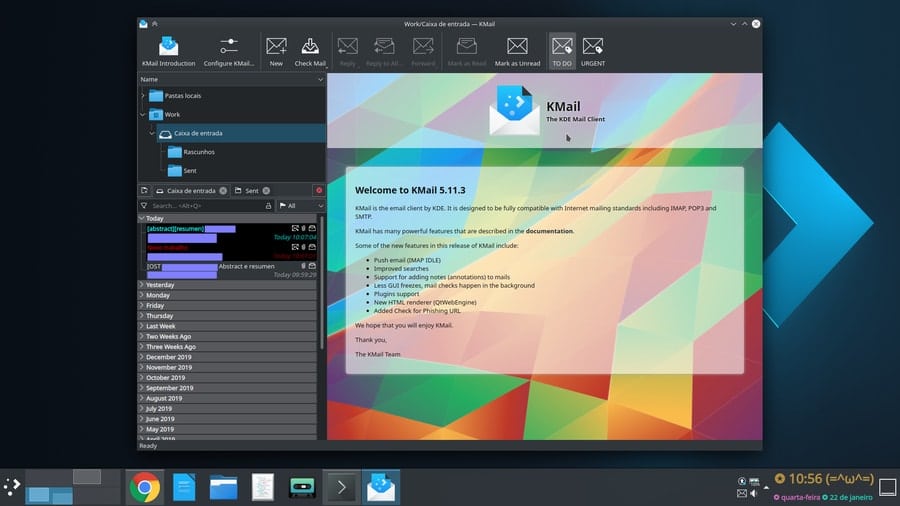
Another excellent email encryption tool is KMail. It is a component of Kontact, which is a Personal Information Manager (PIM). KMail supports most of the email protocols such as IMAP, POP3, and SMTP. You can easily save your encrypted passwords through KWallet. It supports native inline OpenPGP and GnuPG for email encryption with cryptography. Even it can view and forward HTML emails, along with multi-language and avatar support.
Important Features of KMail
- KMail supports both NTLM (Microsoft Windows) and GSSAPI (Kerberos) for authentication.
- By default, it comes with a spam detector and privacy protection. It can flag and tag emails for aid in shorting.
- It supports server-side filtering and inline OpenPGP, PGP/MIME, and S/MIME.
- KMail has groupware functionality so that you can collaborate with your teammates.
4. Tutanota
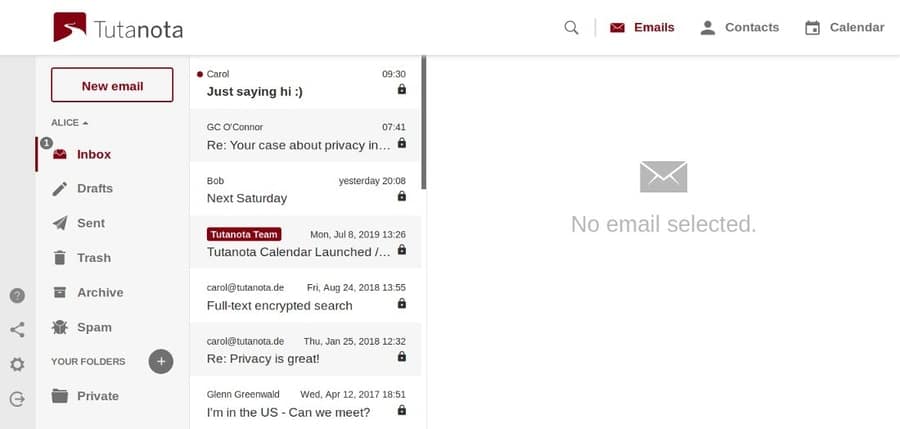
Tutanota is a freemium email encryption tool. That means it has both free and paid versions. It offers an end to end encryption feature for both mailbox and address book. The developers ensure the best security for their users. Besides, you will get a calendar encryption option and 2-factor authentication for the best protection. With a user-friendly interface, it runs on 100% eco-friendly energy.
Important Features of Tutanota
- Tutanota uses symmetric (AES) and asymmetric encryption (AES/RSA) to encrypt your data.
- It provides an encrypted search index to decrypt data locally and allows users to search for a specific keyword.
- Email aliases extension will help you to wipe out your track from spamming bots.
- Tutanota can encrypt all the data of email such as subject, body, and attachments.
5. Claws Mail
Claws mail is another best email encryption tool for Linux to mention. It is the most lightweight and highly configurable email client. It encrypts emails using GnuPG with OpenPGP standard. Claws mail is based on GTK+ and comes for both Linux and Windows. It supports autosave of email while composing and checking spelling mistakes with Enchant plugin. Besides, you can import address books from LDIF, Mutt, and other users via scripts.
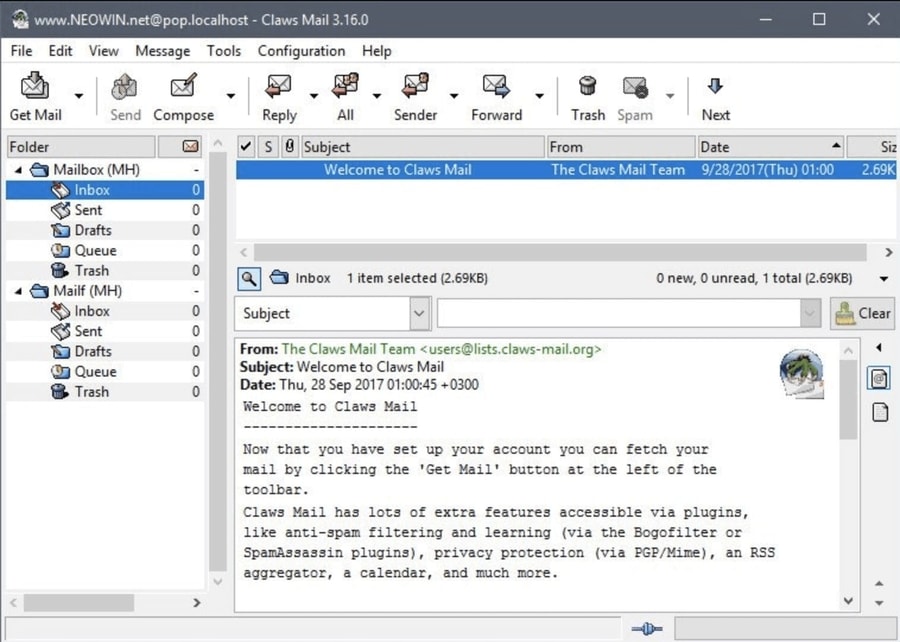
Important Features of Claws Mail
- Claws Mail has the filtering capability to organize your emails and attachments.
- It allows you to install custom plugins such as RSS news reader, Mbox handler, and SpamAssassin.
- It supports POP3, SMTP, IMAP4rev1, and NNTP protocols along with GPG and SSL.
- You can use the Clam Antivirus plugin for scanning malicious emails and attachments.
6. Sylpheed
Sylpheed is a free email encryption tool licensed under the GNU public license. It offers an extensive number of features and easy configuration. Sylpheed works on Unix-like platforms like Linux or BSD and is also usable on Windows. Furthermore, this program has many advanced features, including auto collection, mail filtering, junk mail, and subject line management. Moreover, it uses GnuPG for message encryption and POP3/IMAP4/NNTP over SSL/TLSv1 for encrypted communication.
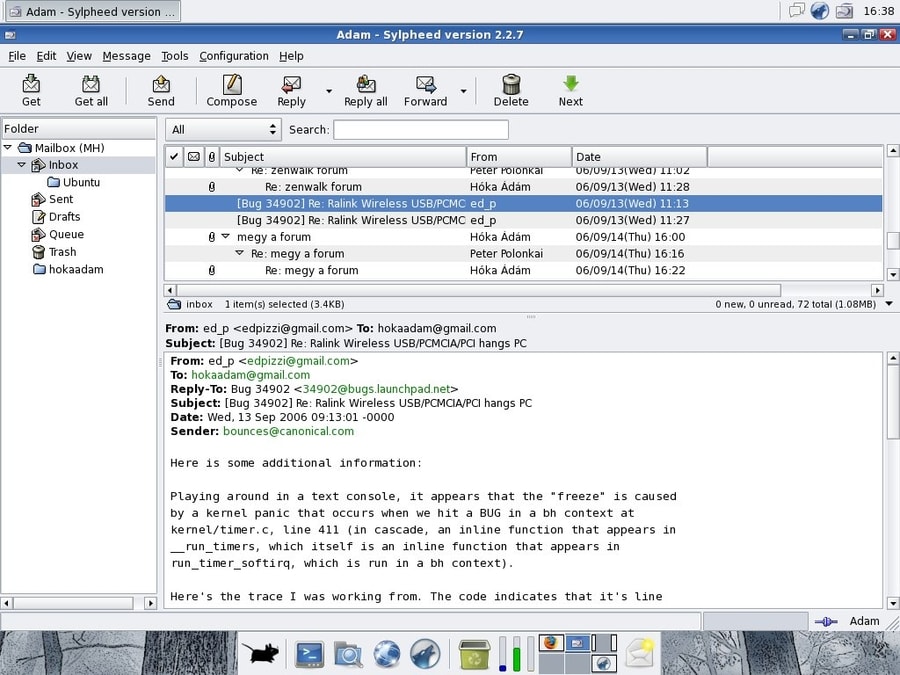
Important Features of Sylpheed
- Sylpheed is a simple, lightweight email client along with easy to understand customization.
- You can easily store your passwords in plaintext in the configuration file.
- It has Autoenc plugin, which allows to encrypt the attachment of email automatically.
- You can use multiple accounts in Sylpheed besides multiple MH folder supports.
7. Mutt
Mutt is a very exceptional email tool on our list. The uniqueness is it is a text-based email client. Being one of the oldest email clients, it has been giving services for more than two decades. Besides, it is supported by a very active developer community. Mutt uses the GnuPG standard to encrypt your emails. Moreover, you can use the Notmuch mail indexing tool for efficient email searching in your storage.
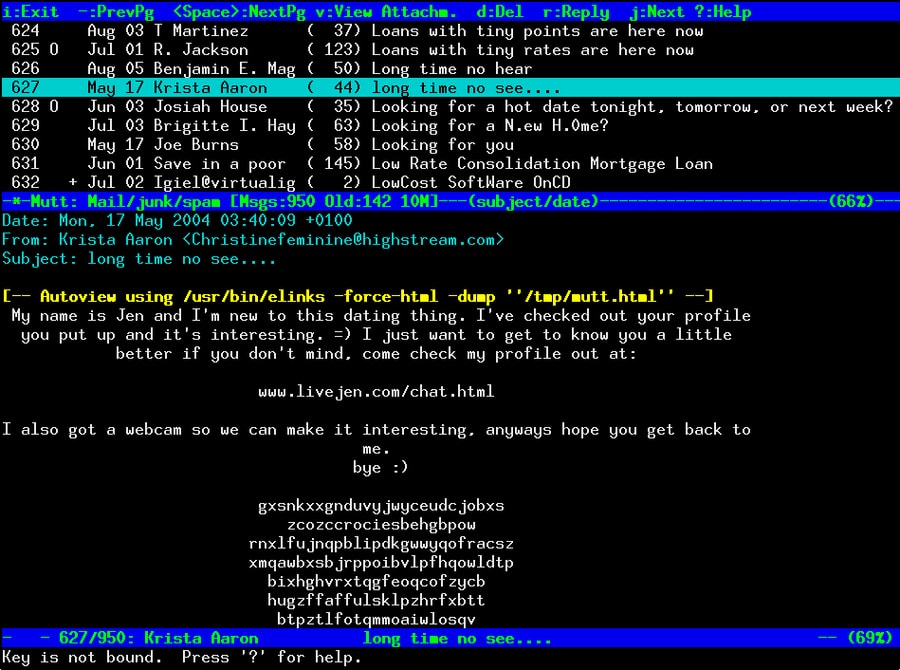
Important Features of Mutt
- Mutt is a very highly customizable email client with POP3 and IMAP protocol support.
- You can add your attachments to your email through the command line.
- It Supports multiple mailboxes—for example, mbox, MMDF, MH, and many more.
- It has features including email threading, the delivery status notification (DSN), and multiple message tagging options.
8. ProtonMail Bridge
ProtonMail Bridge is one of the best email encryption tools for Linux. However, it is a web-based application but has always been a reliable email solution for internet users. Security is ProtonMail’s biggest strength and has been from the beginning. In addition, ProtonMail Bridge provides end-to-end encryption by utilizing PGP encryption standards. It has both free and paid versions.
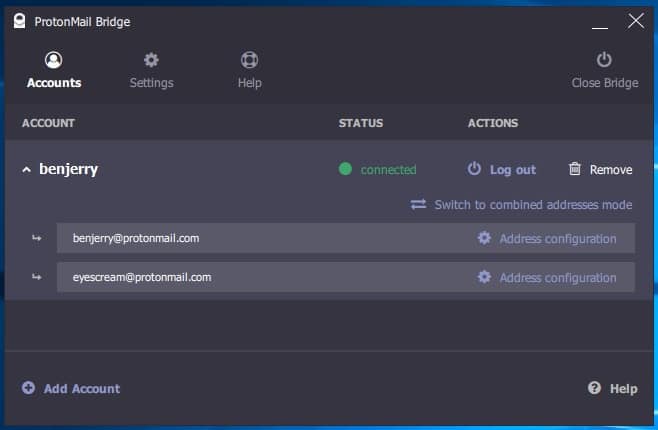
Important Features of ProtonMail Bridge
- ProtonMail provides zero access encryption for email, contact information, and calendar.
- It can be integrated with other email clients who provide IMAP and SMTP protocols.
- The developers have implemented TLS certificate pinning, which reduces the risk of MITM attack.
- It has a feature named self-destructing message that will allow you to wipe out your delivered message at the time you specify.
9. Mailvelope
If you prefer not to use any email client to protect your emails, then there is another option for you. Mailvelope is a great web browser extension that will allow you to encrypt your email. It is compatible with both Mozilla Firefox and Chrome. Furthermore, you can integrate your existing email into it. Mailevelope implements the PGP encryption standard for encrypting emails.
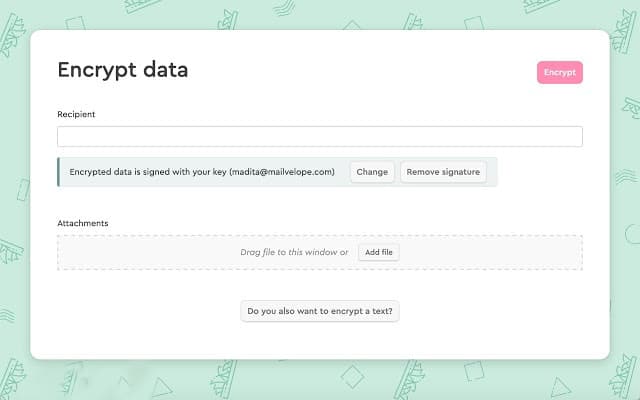
Important Features of Mailvelope
- You can generate keys and store them in your local storage for future usage.
- It allows you to integrate your custom domain-based email for use.
- You can manually select which part of your file you want to encrypt through the file encryption feature.
- You can share your public keys by uploading them on a public server or directly with your contacts.
10. Mailspring
Another robust email encryption tool for Linux is Mailspring. You can use it for both personal and business management. Because it has lots of features, including touch and gesture support, unified inbox, and link tracking. You can use Cypher, which is an N1 PGP plugin, or Nylas mail for email encryption. Another benefit is that Mailspring doesn’t store your emails in their cloud servers.
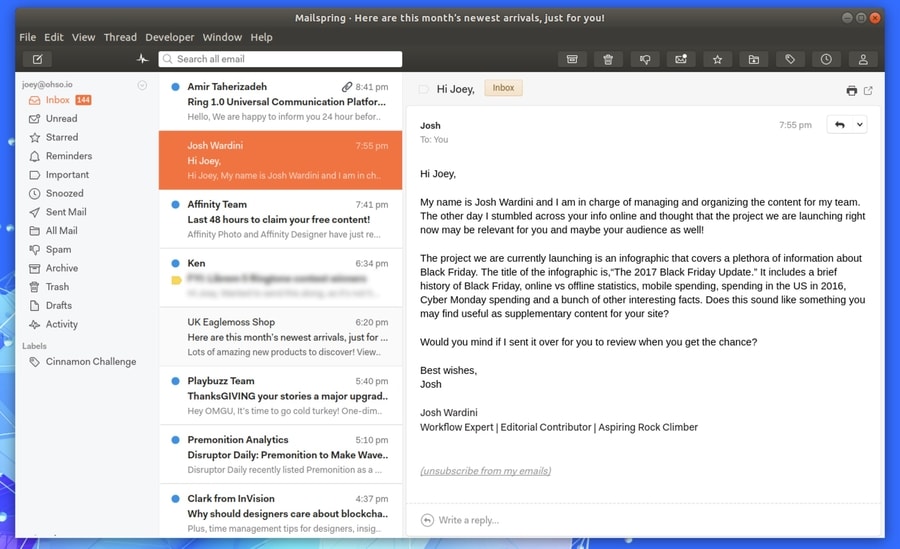
Important Features of Mailspring
- You can add multiple accounts such as Gmail, Office 365, and IMAP accounts in this email client software.
- It has advanced search options like Gmail to find your emails with specific keywords.
- Mailspring has a built-in translation extension that allows you to translate your email body into multiple languages.
- It offers an undo email option, and it has a built-in spell mistake checker that auto-detects misspellings.
11. Balsa
Balsa is another email client, mainly for GNOME. It offers all the features of a robust email client. Besides, the graphical interface will help you more to use this email client efficiently. It supports both POP3 and IMAP protocols, along with MIME attachments. Additionally, you will find a default spell checker here. Balsa uses both PGP and GPG for email encryption.
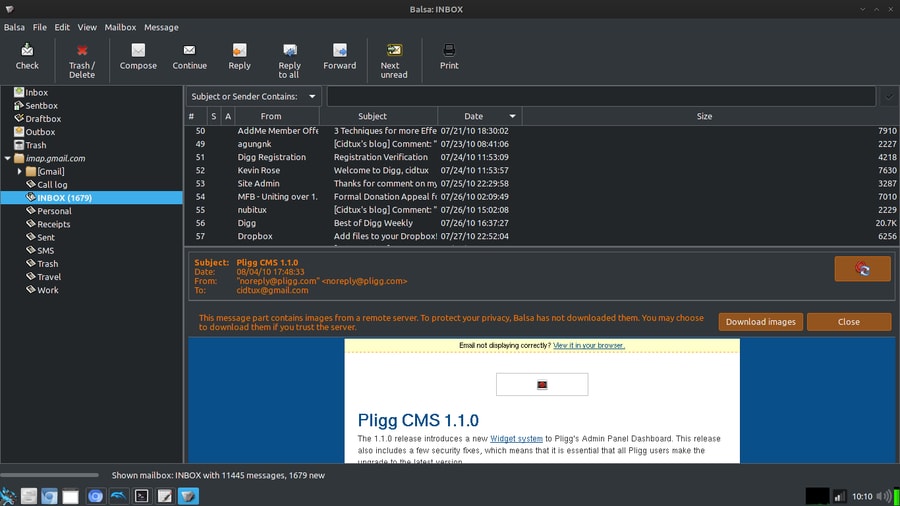
Important features of Balsa
- It supports CRAM-MD5 along with GSS authorization, and there is an option to hide emails.
- Local mailbox formats like mbox, maildir, mh are supported along with local MTA and SMTP in Balsa.
- You can use GnomeCard to integrate address books, and it supports multi-language.
- It allows you to retrieve past emails and attach different types of files in outgoing emails.
12. Geary
Geary is one of the most convenient email encryption tools for Linux. It is a very lightweight email client. Because of the modern user interface, users will find it easier to navigate. It supports almost all the major email providers. Besides, you can use email through IMAP configuration. Geary comes with built-in security tools that make it more convenient for users. Pantheon Mail is another variation of Geary.
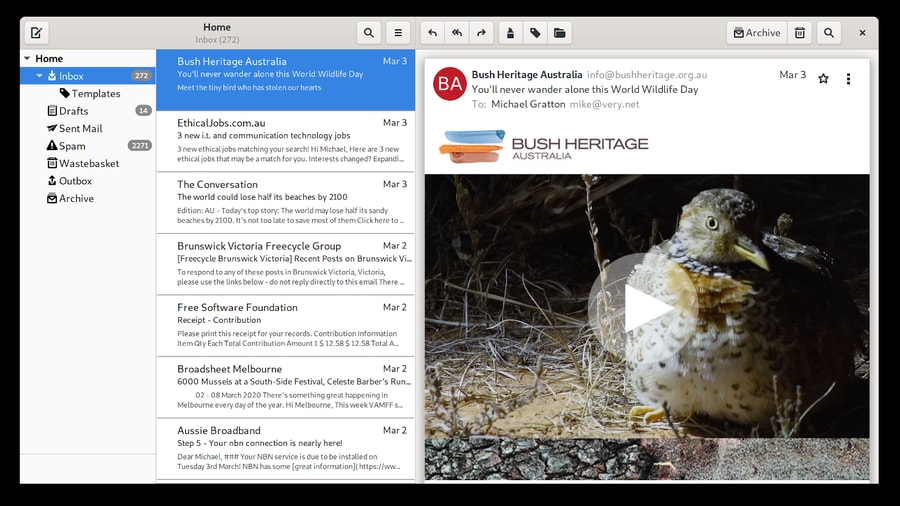
Important features of Geary
- Conversation feature to gather all related emails in one place for a better experience.
- It supports both rich and plain text for composing emails.
- It has full-text indexing (FTS) feature, which allows for fast and full-text keyword search.
- You can use HTML signatures also, and it has the option for saving draft emails automatically.
13. Sup
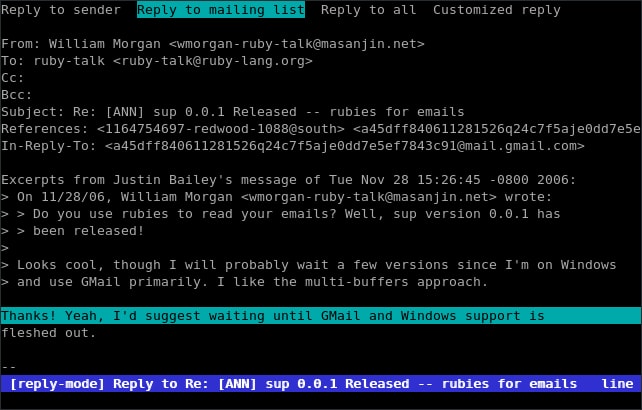
Sup is an open-sourced and console-based email encryption tool. It can handle a lot of emails. You can easily set multiple tags in email threads. Besides, it supports contact list management, custom code insertion, full-text search, and many more. It shows all the email in hierarchical form, which makes the interface more user friendly.
Important features of Sup
- Sup is able to handle massive amounts of emails without any issue.
- It supports GPG to encrypt and secure your emails and email attachments.
- Sup has a built-in feature to track the recent contact automatically.
- You can use body text or rich query language to search your total email storage.
14. RoundCube
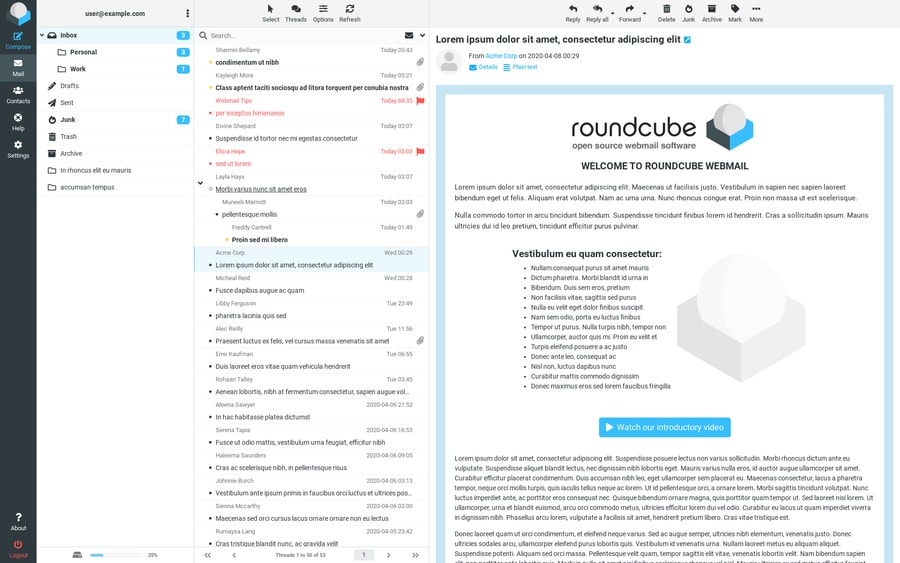
RoundCube is a browser-based email client with email encryption features. It is mainly an IMAP client. But with limited features, it can provide a very smooth user experience. For instance, it has almost all the features similar to Gmail. But it needs a MySQL or PostgresSQL database to run the overall system. It is made with XHTML and CSS2. So, you can customize it as you wish. Besides, it includes PEAR, an open-sourced library, HTML5-PHP sanitizer, and a rich text editor.
Important features of RoundCube
- You can save email addresses as well as URLs, phone numbers, and addresses.
- It uses PGP encryption for email security along with capable of preventing brute force login attacks.
- You can use custom skins as well as Plugin API for installing extensions.
- It supports HTML and MIME messages along with the external SMTP server.
15. Mailpile
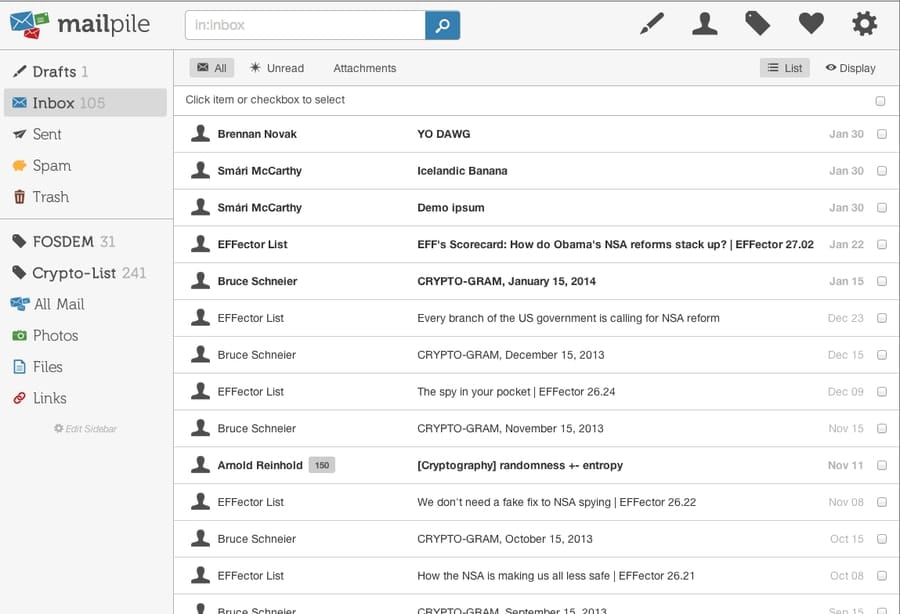
Maipile is a great email client that comes with the most important email encryption feature. It is a very user-friendly email client. You can easily integrate it with your web browser also. As it is open-sourced, you can also add any new feature or fix a bug. Besides, you will get full control over your data.
Important features of Mailpile
- A very powerful search and tagging option for better email management.
- It supports both OpenPGP and S/MIME standard for email encryption and signatures.
- You can use it on your local device and virtual private servers, even on Rasberry Pi also.
- It allows you to generate private and public PGP keys, and you can share them with other users.
Final Words
With the many options out there for the best email encryption tools for Linux, you have plenty of freedom to choose the one that works best for you and your business. Before deciding which one to use, take some time and really consider all your options. This way, you will have no problems in finding the best email encryption software for your needs. And always remember, if something sounds too good to be true – it probably is. It’s always a good idea to research your choices before you decide to buy.
However, we have tried to display the best available email encryption software. Now it is you who will make the final decision. Please write us your opinion in the comment section regarding this article. Share this article with your family and friends to inform them about the necessity of email encryption.
Categories
Subscribe Now
10,000 successful online businessmen like to have our content directly delivered to their inbox. Subscribe to our newsletter!Archive Calendar

| Sat | Sun | Mon | Tue | Wed | Thu | Fri |
|---|---|---|---|---|---|---|
| 1 | 2 | |||||
| 3 | 4 | 5 | 6 | 7 | 8 | 9 |
| 10 | 11 | 12 | 13 | 14 | 15 | 16 |
| 17 | 18 | 19 | 20 | 21 | 22 | 23 |
| 24 | 25 | 26 | 27 | 28 | 29 | 30 |
| 31 | ||||||
Recent Articles
-

Posted on : Jul 25
-

Posted on : Jul 07
-

Posted on : Apr 07
-

Posted on : Mar 19
Optimized my.cnf configuration for MySQL 8 (on cPanel/WHM servers)
Tags
- layer 7
- tweak
- kill
- process
- sql
- Knowledge
- vpn
- seo vpn
- wireguard
- webmail
- ddos mitigation
- attack
- ddos
- DMARC
- server load
- Development
- nginx
- php-fpm
- cheap vpn
- Hosting Security
- xampp
- Plesk
- cpulimit
- VPS Hosting
- smtp
- smtp relay
- exim
- Comparison
- cpu
- WHM
- mariadb
- encryption
- sysstat
- optimize
- Link Building
- apache
- centos
- Small Business
- VPS
- Error
- SSD Hosting
- Networking
- optimization
- DNS
- mysql
- ubuntu
- Linux






