Not all WordPress table plugins are made equally. Therefore, we scoured the internet and found the top options for a variety of situations, including ones we’ve personally used in projects. Some of them are great for building pricing tables. Others are better for bare-bones data comparisons. We even have a few options with drag-and-drop editors. So, keep reading to learn about the best WordPress table plugins around.
Best WordPress Table Plugins
Although we recommend taking a look at all of the extensive reviews below, here’s a list linking to our favorite table plugins. Feel free to click through all of them and test them out for yourself.
- TablePress
- Data Tables Generator by Supsystic
- Posts Table Pro
- wpDataTables
- Ninja Tables
- League Table
- Easy Table
- Pricing Table by Supsystic
- MCE Table Buttons
- Visualizer Tables and Charts
During our testing and experimentation, it became clear that personal preference will tie into your choice of table plugin. Some of the options are free, but most of the premium solutions are extremely affordable. In addition, the interfaces from plugin to plugin vary drastically. So, I would recommend you select a few of your favorites from the analysis below, and test those out to see which user experience you enjoy the most.
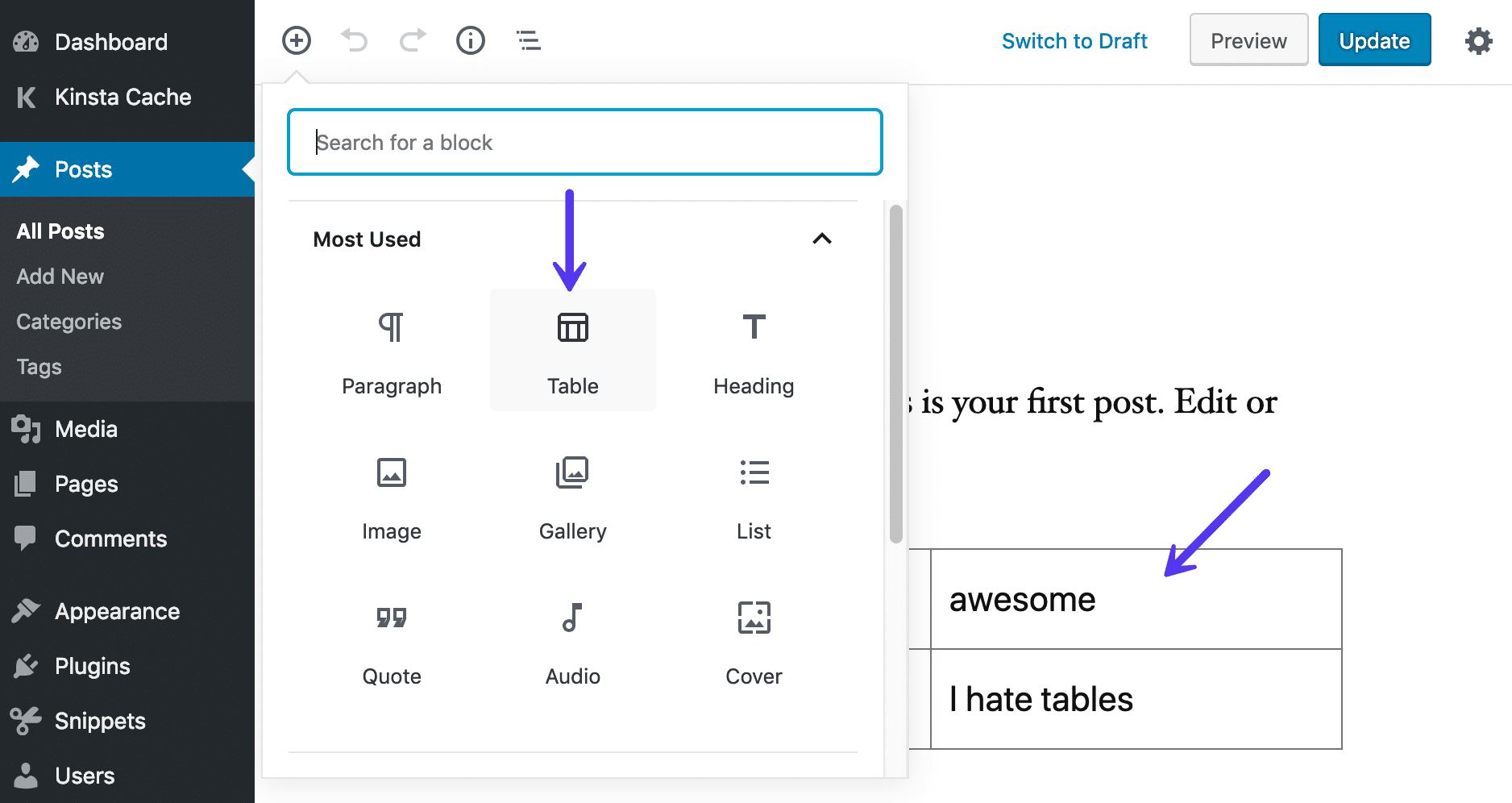
And don’t forget, if you just need something really simple, the new Gutenberg Block Editor has basic responsive tables built in. Just search for the block called “Table” and choose how many columns and rows you want.
1. TablePress
Based on my own experience, and the reviews of others, it’s clear that TablePress is one of the best options when it comes to WordPress table plugins. It’s easy to install, offers the simplest settings to configure, and even a beginner can create a table on the backend. After you set up a table, a shortcode is generated for you to place anywhere you want on your website. All table data is inserted and edited in a spreadsheet format in your dashboard. It doesn’t matter what type of data you would like to include, since TablePress has support for almost everything you can think of.
It seems like TablePress would be sold as a premium solution, but it’s actually given away for free in the WordPress plugin directory. Quite a few extensions are provided on the TablePress website.
Some of the best ones include:
- Responsive tables
- Row filtering
- Table row ordering
- A single cell content shortcode
- Automatic URL conversion

As we mentioned, the core plugin is available for free. You can technically get all of the extensions for free as well, but the developer has some of them labeled as premium. He asks that you donate a certain amount of money before downloading these extensions–which makes sense, since this type of development and management takes lots of time.
Other than that, you can view a beautiful example demo on the TablePress website. This is a great example of what most of the standard tables look like in TablePress. Sure, you can format them in different ways and add new data, but most of the blogs I see using TablePress have the tables looking like this.
Features That Make It One of the Best WordPress Table Plugins:
- The TablePress plugin is free. This includes the core plugin and extensions. That’s pretty amazing for the best table plugin on the Internet. That said, we do recommend donating to the developer to support him.
- The plugin includes a large collection of extensions, which are simple code snippets to expand the feature-set from TablePress. Some of them include a table row order option and row filtering.
- The TablePress website also has resources for compatibility with other plugins, adjustments to the admin area, and additional features from the TablePress JavaScript library.
- The installation and implementation is about as simple as it gets. All of the tables are made in the WordPress dashboard, allowing you to add rows and columns and data.
- Each created table can be placed on a post or page with the help of a simple shortcode.
- You can also import or export table data with CSV and Excel files. This is great for larger tables.
2. Data Tables Generator by Supsystic
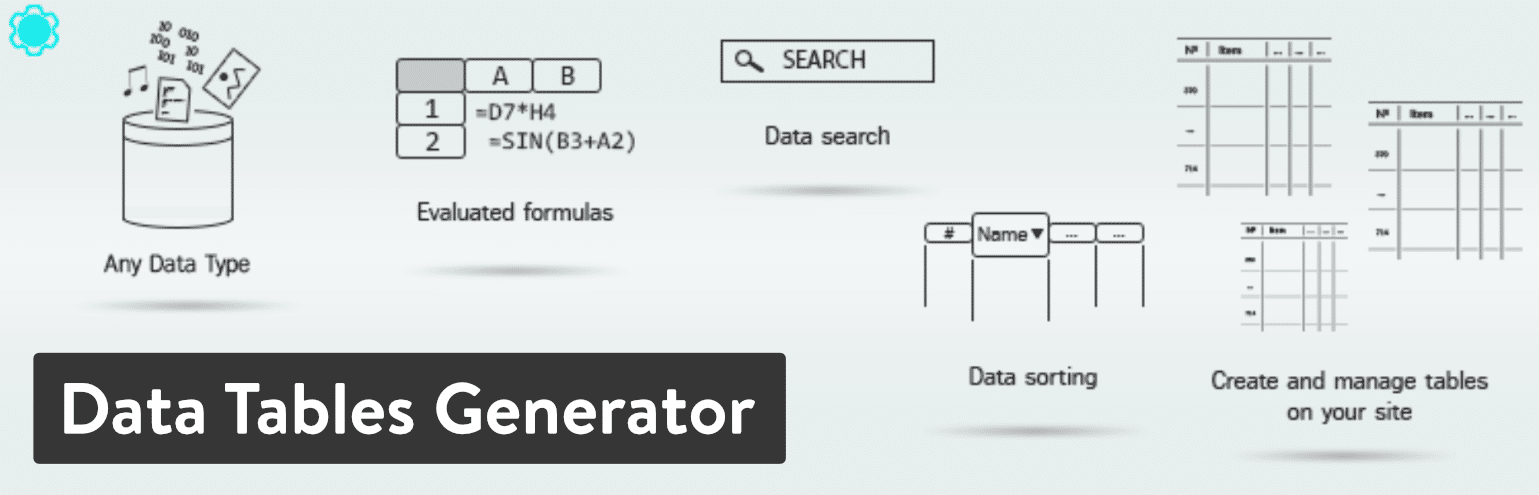
Supsystic has two plugins on this list. The first one is called Data Tables Generator, and it’s an excellent solution for creating and managing visually striking tables on your WordPress site. The free plugin is available for download. You also have the option to upgrade for additional features. What’s great is that the free version should cover most of the requirements for most small to midsize blogs and businesses.
For instance, the free plugin offers support for unlimited rows, merging cells, and data formatting. Your tables can also complete calculations and sort depending on what your users want to do. Everything from the CSS editor to responsiveness is provided with the free version.
The upgrade to the Pro version starts at $29 for one website. Although the free plan is quite powerful, plenty of companies will need to get some of the premium features like the frontend export to PDF, Excel, and CSV. You also get more exporting and importing options, along with a mass migration tool for numerous large tables. Some of the other premium features include a print button, table history, diagrams, and a roles restriction option.
Features That Make it One of the Best WordPress Table Plugins:
- The Data Tables Generator plugin comes in two versions for some flexibility. The free option has plenty of tools, and the premium is affordable if you need it.
- The backend builder is simple enough to use.
- You can integrate with WooCommerce and some of the other Supsystic plugins for expanding upon your use of tables.
- Visual charts are supported for making things like pie and bar charts.
- All of the versions support unlimited rows and columns.
- The customization tools are plentiful, with options for sorting, colors, borders, pagination, and highlighting.
- Each version has access to the CSS editor for the ultimate customization experience.
- You can look at a live preview of your tables before publishing them to your website.
- Frontend and backend exporting is supported through CSV, Excel, and more.
- The roles restriction feature is one of the more unique offerings, seeing as how you can decide on who can edit or even view your tables.
3. Posts Table Pro
The Posts Table Pro plugin is one of the best WordPress table plugins and it comes from Barn2Media. It’s a highly customizable table plugin for creating dynamic tables with searchable and filterable elements. It also has the ability to list your own blog posts, audio, custom fields, and more. The pricing starts at $89 per year for support and the plugin on one site. After that, the business license bumps the price to $159 per year. There’s also an agency license for $319 per year. Each plan upgrade gives you more sites to put the plugin on.

The main advantage of the Posts Table Pro plugin is that you’re able to construct tables on your WordPress site without any coding knowledge–and without any need for data entry. You can import things like videos, directories, and libraries, then the plugin creates instant tables for you to display. Each table includes options for quick searching, sorting, and filtering. You also receive full multimedia support, meaning that you can place things like images and videos in your tables.
All of the tables are responsive, and you receive excellent support from the developers. Along with a lazy load setting and over 50 other built-in features, you can’t go wrong with Posts Table Pro if you’re looking for one of the top WordPress table plugins.
Features That Make it One of the Best WordPress Table Plugins:
- The Posts Table Pro plugin has full media support, which is not the case with many of the other plugins on this list. It even has options for adding audio files and media playlists.
- The tables are generated with ease and managed in the clean builder on the backend.
- Each finished table can be placed on posts and pages by using a shortcode.
- The tables seem to be more customizable in this plugin when compared to others. From color to filters, and pagination to search functions, the plugin offers a great value.
- Although you have to pay for the plugin, this gets you premium support for a year.
- It’s possible to take some of your posts, pages, and products and turn them into lists using the plugin.
- Posts Table Pro provides an integration with the Advanced Custom Fields plugin, helping you display custom data.
4. wpDataTables
The wpDataTables plugin is a Lite version of the primary core solution. It’s a basic version that works for those who only make tables on occasion or don’t need all of the advanced features in the premium version. With the free plugin, you import data from files like Excel, CSV, and JSON. Then, all of your data is inserted into a sleek, simple table to be presented on your website. You can also create your own rows and columns from scratch. The Lite plugin is still a useful tool for those who only generate tables for some of their blog posts.
The full version of wpDataTables sells for $55 on CodeCanyon.

Many people will wonder whether they should go with the Lite or Premium version. Let’s outline some of the limitations from the Lite version to see if you actually need to upgrade:
- The Lite version limits all tables to 150 rows.
- You cannot import using a Google Spreadsheet.
- You don’t get access to premium support.
- You don’t receive server-side processing.
- You can’t create a table manually.
- You cannot make a MySQL-query based table.
- You can’t edit like you would in Excel or on the frontend of your website.
When all of that is said and done, there are many organizations that could benefit from the free plugin. If not, you’re at least able to test out the interface to see if you should upgrade to the premium plugin.
Some of the things we really like from the premium solution include multiple database support, responsive tables, support for lots of data, editable tables, advanced filters, and charts.
Features That Make it One of the Best WordPress Table Plugins:
- The wpDataTables plugin offers both free and premium plugins. The free one has some watered down features, but it may work for light users. The premium one is rather affordable.
- Smaller tables are easy to make in the Lite version.
- The table on the frontend looks similar to what you’re working with on the backend. Many table plugins make it difficult for the user by having a confusing backend module.
- Each table you create can be placed on your website by using a shortcode.
- The premium version has responsive tables that look wonderful on mobile devices.
- You can create extremely large tables with the paid version.
- Charts and highlighting are supported in the paid version, making for a more visual experience for your readers.
- The plugin has some great add-ons, such as a Report Builder tool that lets you generate Excel or Word docs inside of WordPress.
5. Ninja Tables
If you’re looking for a powerful table plugin without the high cost, consider trying out Ninja Tables. A free version is provided through the WordPress Plugin Library. And it’s rather impressive just how many features are included with the free option. You can also sign up for the premium version, which costs $39 for one site. The Agency License gets you customer support for up to 20 sites and that’s only $79.
To start, let’s take a look at some of the core offerings. Ninja Tables is SEO friendly and lets you generate a table using single line cells and a fixed layout. You can create a bordered table, striped rows, and even a more compact table that’s useful for squeezing into your articles. Overall, the table builder on the backend is almost an exact duplicate of what you’re going to see on the frontend. It’s simple to install, and you’re able to rapidly add new colors, insert columns, and provide filters to your readers.

Some of the features you’re missing out on with the free version include support for unlimited tables and customization tools. So, you might end up being cut off if you make too many tables with the free plugin. The premium version also has a connection to Google Sheets, along with conditional column formatting and a WooCommerce product table for those running online stores.
Features That Make it One of the Best WordPress Table Plugins:
- Ninja Tables has both free and premium versions. The free plugin is actually pretty feature-packed–and you don’t have to worry about spending too much money to upgrade.
- You have many customization tools for making your tables stand out. For instance, you receive settings for adjusting the colors on your rows and columns.
- There’s an option to link to Google Sheets.
- Ninja Tables provides support for media uploads. This means you can insert items like video and pictures into your tables.
- All table sorting is done with a drag-and-drop builder. There’s no need to know anything about coding with Ninja Tables.
- The plugin exports and imports with the help of a CSV. All of your data can be inserted within moments.
- There’s a direct WooCommerce integration to list your products and make comparisons.
- Show your tables by placing a shortcode in a post or page.
- The plugin offers conditional formatting so that certain rows and columns are highlighted based on specific conditions you set beforehand.
6. League Table
The League Table plugin has no free option, but the price is fairly low at $23. This plan gets you six months of customer support, and you can pay to extend that to a full year. This is one of the best WordPress table plugins, and for good reason. To start, you have over 135 customizable options. This includes sortable columns, colors, and filtering. All of your data can be imported and exported with ease, meaning there’s little need to create the tables from scratch. There’s also an embeddable spreadsheet editor, which makes it much easier to manage your tables.

After testing, it became clear that the League Table plugin has one of the fastest interfaces in terms of table plugins. You can copy or import directly from an external spreadsheet or document. Then, you’re able to customize items like colors, typography, and the sizes of cells. The sortable columns are nice for your users, and the responsive nature of the tables ensures that all data is shown, regardless of the device being used.
Features That Make it One of the Best WordPress Table Plugins:
- Although it’s only sold as a premium plugin, League Table has a great price of $23.
- The multisite support is unique in that you can utilize all of your tables on a wide range of websites in your network.
- The plugin is also multilanguage ready. All you need is a translation file.
- The importing and exporting functionality saves your tables as XML files. This gives you some excellent flexibility for moving the files to other websites and programs.
- Mathematical formulas are supported in all tables. You also have options for inserting HTML and JavaScript code in cells.
- The responsive interface does a great job of hiding and displaying less important columns or rows based on the device being used.
- The plugin has one of the largest collections of customization tools on this list.
- The spreadsheet editor provides the means necessary for copying over data directly from programs like Google Sheets and MS Excel.
7. Easy Table
The Easy Table plugin has a fitting name, since it’s not only easy on the wallet, but it doesn’t take much to generate and manage tables on your website. Although it might seem like you have to fiddle with HTML code with Easy Table, that’s not entirely true. What happens is that you import a CSV file, then Easy Table converts all of that data into an HTML table. This can be placed in a post or page–with the rendered table showing up on the frontend.
Easy Table doesn’t cost anything to install or use. It’s an open source project without any upsells or extensions. The only problem is that the official plugin support page hasn’t been running for quite some time. Therefore, you’re stuck with the support forum on WordPress.

Having said that, the Easy Table plugin has options for both importing and manually creating tables. HTML is generated as you type in the data on the backend. It may appear a little confusing at first, but there’s no need for you to understand the HTML code in your editor. Other than that, the plugin is pretty bare-bones. You can create sortable table columns and work with some of the minimalistic customization tools. Most people will stick with the standard table design, but developers can work their magic with custom coding.
Features That Make it One of the Best WordPress Table Plugins:
- Easy Table is the simplest, lightest weight option you have for adding tables to a WordPress site.
- There’s no need to know anything about coding or HTML to get your data displayed online.
- CSV imports are supported. All of the HTML is generated for you after the import.
- Display all of your tables on posts, pages, or widgets.
- You don’t have to worry about paying for this plugin. It’s all free, without any upgrades.
8. Pricing Table by Supsystic
As we circle back to Supsystic, you can see that the developer also has a pricing table solution plugin. It’s a little bit of an alternative table builder, but pricing charts are tables nonetheless. Some WordPress themes and page builders come with pricing tables, but if you’re in need of one, the Pricing Table by Supsystic plugin would be a wise decision. You can even use it for a more colorful, visual comparison table that’s formatted like somewhat of a pricing table.
To begin, the Pricing Table plugin has almost all of its core features inside of the free plugin version. This includes table exporting and importing, badges for columns, and a beautiful online drag-and-drop table builder. You can also opt for the premium version, which starts at $29 to use on one site. The five-site price is $49 and unlimited sites is $99. As mentioned, the majority of the features can be found in the free plugin. But, if you’d like a large pack of premium templates and a role restriction feature, go ahead and upgrade to the premium plugin.
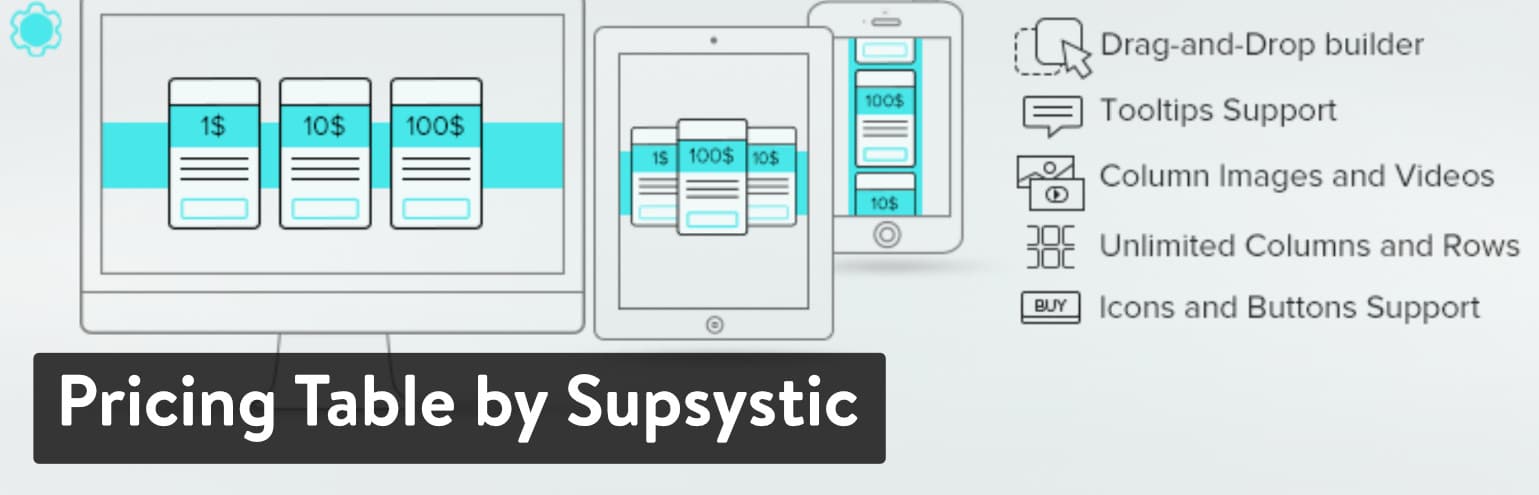
After looking at both of the Supsystic table plugins, it’s clear that this developer makes high-quality solutions for people that crave creativity and functionality. The Pricing Table plugin functions much like any of the best WordPress table plugins we’ve outlined in this article. It provides preset templates, support for unlimited columns and rows, and a mobile-friendly layout for viewing on phones and tablets.
What’s also impressive about Pricing Table is that you’re really getting two plugins in one: a plugin that creates stunning pricing tables and a plugin that makes standard data comparison tables as well. It’s rather simple to import your data and get a comparison going within minutes.
Features That Make it One of the Best WordPress Table Plugins:
- The free plugin has almost all of the features required for building solid pricing tables.
- The premium version won’t break the budget and it provides role restriction and premium templates.
- You can make regular data tables with the plugin as well.
- The drag and drop table builder is one of the smoothest we’ve tested.
- You gain access to the CSS editor for full customization control over your tables.
- You can import and export data from all of your tables.
- Text, images, videos, and icons are all supported by the Pricing Table plugin. This is definitely one of the more visual table plugins on this list.
- It has a mobile responsive version for smaller devices.
- Hover animations are included to add a little pop to your tables.
- You receive several preset templates and no limitations on the number of rows and columns you create.
9. MCE Table Buttons
If you’re someone who wants to create a table directly into the WordPress page or post editor, the MCE Table Buttons plugin might be one the best WordPress table plugins for you. With most of these plugins, you create a table away from your post or page inside of the dashboard. After that, you would grab a shortcode and insert it into the page or post of your choice. Then, the table would show up on the front end. The MCE Table Buttons plugin takes a different approach by installing a button on the visual content editor in WordPress. This drop-down button offers you some options to insert a table, manager table properties, and add rows and columns.
This plugin is not going to give you any advanced customization or design tools. It’s meant for generating a simple, no-frills table right in your content editor.
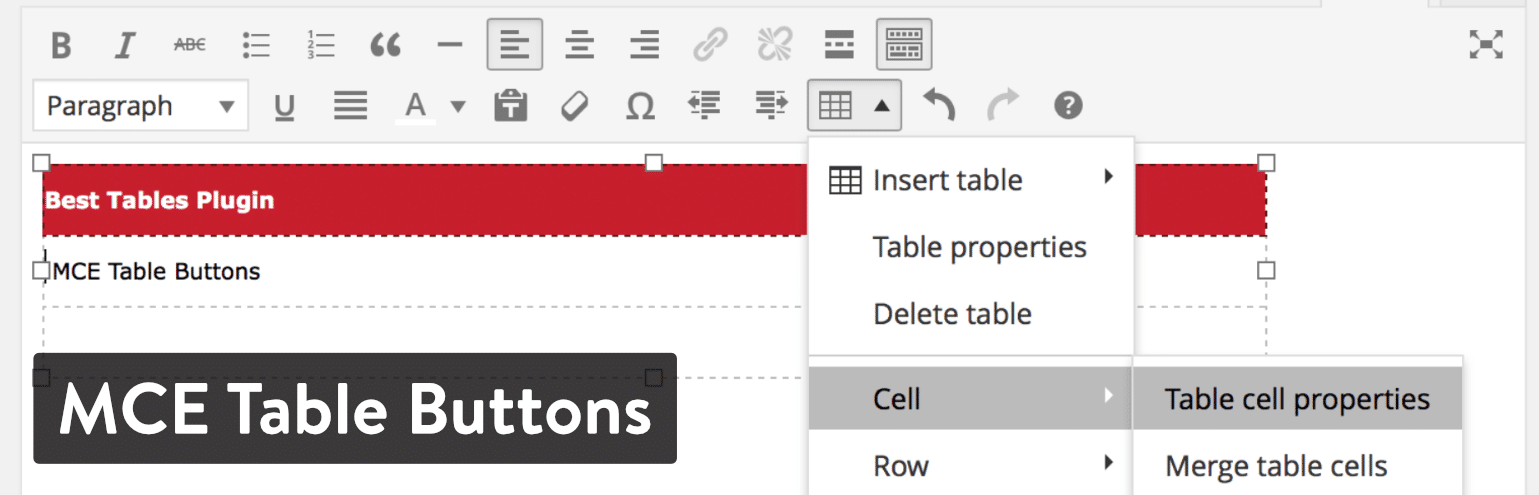
The MCE Table Buttons plugin doesn’t really have any settings to configure, so a simple installation is pretty much all you need to start adding tables to your publications. As you might’ve assumed, this lightweight plugin is entirely free without any upsells or extensions that require purchasing.
Features That Make it One of the Best WordPress Table Plugins:
- The plugin adds a button to your WordPress content editor so that you can create tables right inside the editor instead of having to work through a different tab in WordPress.
- It eliminates the need for shortcodes, since everything is done in the WordPress content editor.
- There is no need to have any coding knowledge to place tables in your post or pages.
- The plugin is free.
- The MCE Table Buttons dropdown menu includes some intuitive table management options such as an insert table button, delete table button, and choices to add or merge cells.
- It’s extremely lightweight and requires very little customization, so all of your tables look professional, clean and without any distracting visuals.
10. Visualizer Tables and Charts
The Visualizer Tables and Charts plugin comes from the folks at ThemeIsle, and it offers both free and premium downloads.
Colorful, animated charts and diagrams are available with the plugin. You can also work with basic tables. So, in a sense, you’re getting multiple plugins in one. The free version works by helping you create and manage interactive tables and charts in your pages and posts. It’s a bit watered down, but there might be some smaller organizations that would find the free version helpful. The best functionality comes from the premium version. This starts at $59, or you could purchase a ThemeIsle subscription to gain access to a larger collection of plugins.
When you upgrade to the paid plugin, some of the features you receive include options for importing data from outside sources, working with a live editor, and creating private charts for internal corporate use. As of right now, there are nine chart types to choose from in the core plugin, with three additional charts to take advantage of in the premium version.

As we mentioned before, the Visualizer plugin includes a full suite of features for designing a beautiful table chart with items like filters, search bars, and color customizations. All of the charts and tables in the Visualizer plugin get implemented with the use of a shortcode.
Other than that, here’s a list of some of the other charts you receive in addition to the tables:
- Line chart
- Pie chart
- Column chart
- Area chart
- Combo chart
- Timeline chart
- Scatter chart
Features That Make it One of the Best WordPress Table Plugins:
- The plugin has both free and premium versions. The free version is great for testing out, but the premium version is where the real functionality lies.
- You don’t only get table building features, but also a wide variety of charts to choose from.
- Several chart and table templates are provided for you to start your designs.
- All the charts and tables are rendered in the WordPress dashboard, then placed into a page or post using a shortcode.
- The basic tables have features for drop-down menus, headers, and the ability to pull data from outside sources.
- You can create private charts that only some people in your organization can see.
- There is also an option to let users edit your charts from the frontend of your WordPress website.
- The plugin has a live editor so you can see the results of your edits right before your eyes.
Summary
If you and your organization are creating tables on a regular basis, it might be worthwhile to look into one of the premium plugins we outlined above. However, the occasional user should definitely consider a solution like TablePress, Data Tables Generator, or even the MCE Table Buttons plugin.
It’s also important to figure out whether you would like a highly customizable table plugin or one that simply inserts a basic table for data comparison. After all, you wouldn’t want a bare-bones table builder when you’re really trying to add several colors, links, and pictures.
If you have any questions about the best WordPress table plugins, feel free to leave us a comment in the section below. Also, if you’re currently using a table plugin, let us know how you like it!