From writing emails to crafting the perfect travel blog post, grammar means a lot if you’d like to maintain credibility in the business world. Some of us are native English speakers but could still use some tips along the way. Others are not native to the language, so they’re trying to make sure they sound professional whenever writing. Regardless of the situation, the solution is to consider one of the best grammar checker tools
We particularly like the grammar checkers that integrate with WordPress and other online apps for email and social media. Having a native app is also a plus, as nobody needs yet another tab to keep open.
Some of our suggestions focus more on niche needs, such as correcting passive voice and switching languages. But we’ll cover them all! Keep reading to learn more about the best grammar checker options on the market today.
The Best Grammar Checker Options
All of the grammar checkers on this list have been tested and approved by our team. The top two (Grammarly and the Hemingway App) are frequently used by the Host SEO team for finding grammatical errors in WordPress, avoiding passive voice before publication, and merely spotting mistakes we might otherwise miss. ?
It’s also important to realize that a lot of companies nowadays are spread across the globe working remotely. That means many on your team might not speak English as their first language. For example, team members at Host SEO speak all sorts of languages! From Hungarian to Spanish, French, and English. In these cases, grammar checker tools become really important!
1. Grammarly
Grammarly is not only one of the most popular and best grammar checker tools, but it offers some excellent integrations for those working with WordPress and other online writing programs. To start, Grammarly has a free Chrome extension that proofreads and suggests edit in your browser. So, you can expect to see Grammarly working when WordPress is open, as in other programs like Gmail, Google Docs, and social media accounts.
Grammarly isn’t only a spellchecker. It’s designed to polish your grammar and spelling based on the context of what you’ve already written. Because of this approach, Grammarly identifies items like weak adjectives, misspelled words, missing articles, and improper comma usage. What’s more is that Grammarly provides error explanations so that you can improve your writing in the future.
The basic Grammarly Chrome extension is free. This extension activates a wide variety of Grammarly features in most browser-based apps. There’s also a free download for a version of Grammarly that works with Microsoft Office, as well as native apps for Windows and Mac.
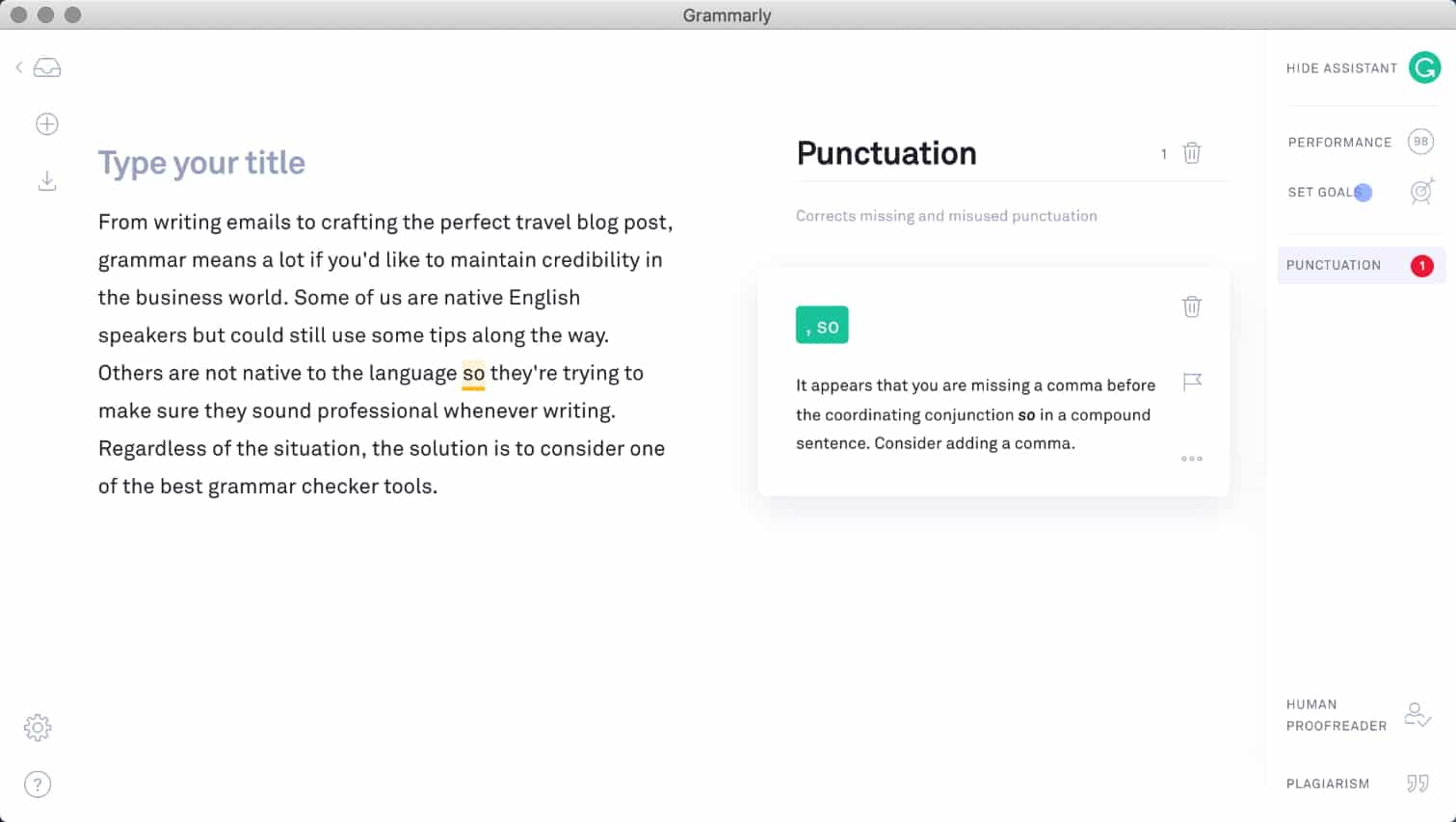
That being said, some individuals and organizations out there might want more advanced Grammarly features. In that case, Grammarly offers a premium version for $29.95 per month, or $11.66 per month if you pay annually. This expands on the original extension by adding features like advanced checks for sentence structure, vocabulary suggestions, and genre-specific style analysis.
Why It’s One of the Best Grammar Checker Tools for WordPress
- The free Chrome extension offers critical grammar and spelling checks, making it far more advanced than a regular spellchecker.
- You can upgrade to get some incredible features like a plagiarism detector and advanced context checker.
- The Chrome app installs itself in your browser in a few seconds and starts working in WordPress, Gmail, Google Docs, and other apps without having to configure any settings.
- Weekly progress reports and error explanations ensure that you don’t use Grammarly as a crutch, but actually, learn from your mistakes.
- Unlike a regular spellchecker, Grammarly looks into more complicated fixes, like for subject-verb agreement and comma splicing.
- You have the option to save and gain access to your past work from any computer.
- Grammarly stores your personal dictionary so that it corrects or ignores certain words that you use on a regular basis.
- You can disable Grammarly on certain websites. For instance, it might not work as well on some websites or you might find that you don’t need it for some tasks.
- The native apps work great so you don’t need to worry about bookmarking it or keeping another tab open.
2. Hemingway App
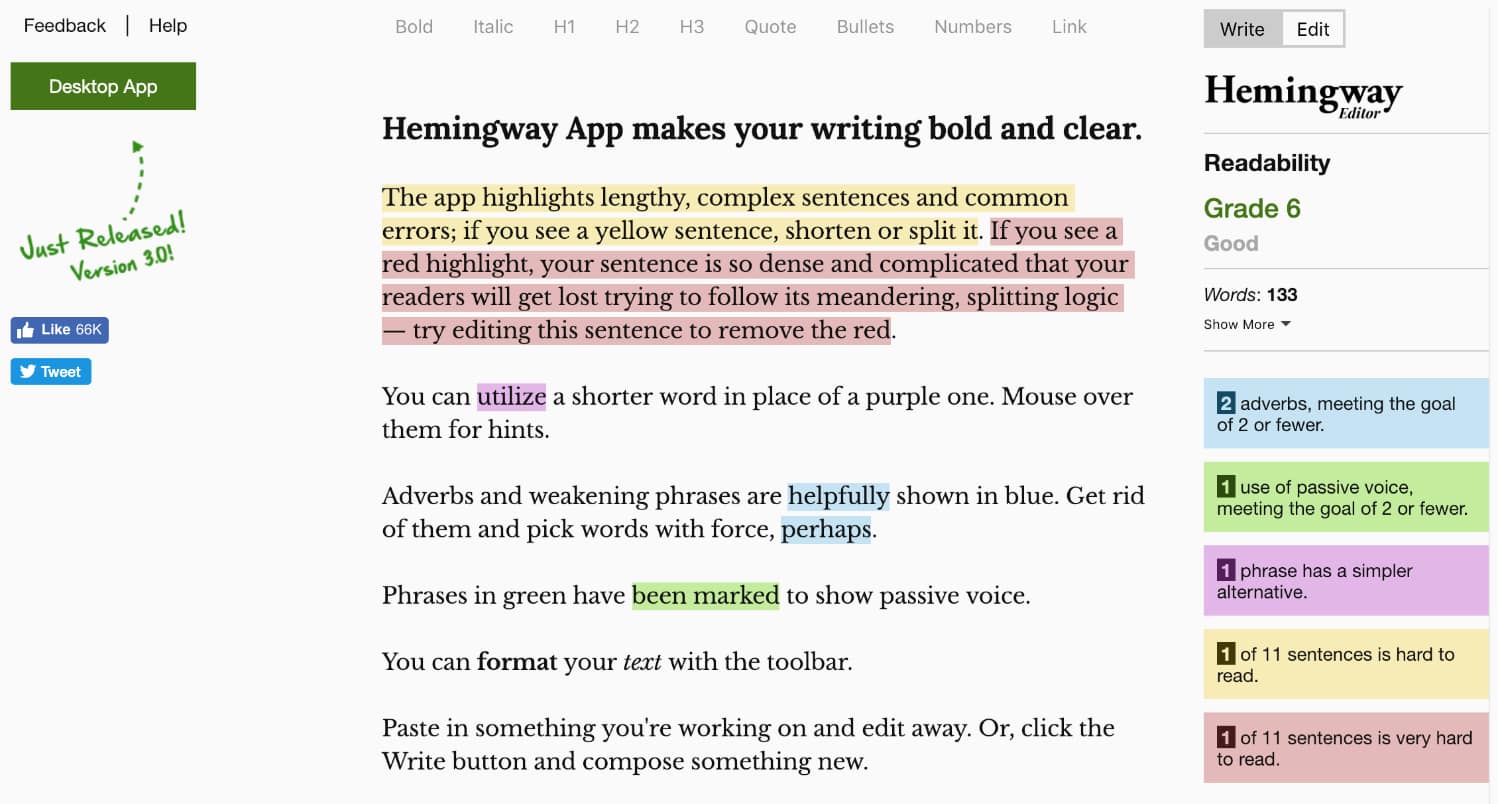
The Hemingway App is a little different than your standard grammar checker. This is because it strives to make your writing more succinct, active, and engaging. It’s named after Ernest Hemingway who was known for including vivid detail in his writing, while still using short, clear sentences. Not only that, but he focused on always using active voice instead of passive. Therefore, the Hemingway App lets you paste in your writing (or write in the app). Then, it provides a grade for readability, while also telling you the following:
- How many adverbs are being used (the fewer the better).
- How many times you use passive voice.
- If some phrases have simpler alternatives.
- If some of your sentences are hard to read.
The Hemingway App doesn’t have a direct WordPress plugin or Chrome extension to use with your browser, but it’s still an essential grammar checker for those who want to make their writing more masterful. We recommend writing your articles in WordPress (or whatever word processor you like the most) then copying the finished product into the Hemingway App before publication. This way, you not only learn what you’re doing wrong, but you’re able to clean up things like passive voice before people read it.
The online version of the Hemingway App is completely free for you to use. You might also consider the desktop app for $19.99 if you’d like to install a native version of the tool on Mac or Windows computers. The good news about the desktop app is that it has a direct integration with WordPress for a one-click publication process.
Why It’s One of the Best Grammar Checker Tools for WordPress
- The free tool is available on your browser and allows you to quickly copy in your text before publication.
- It focuses on correcting problems like passive voice, adverbs, complicated sentences, and more.
- You receive a readability score so you know exactly how your readers are going to view your writing.
- The free app also includes some simple metrics like reading time, words, sentences, and paragraphs.
- The paid desktop version is only a $19.99 one-time fee.
- With the desktop version you don’t need an internet connection, it connects with WordPress, and you can export to Microsoft Word and other editors.
3. Ginger
The Ginger Software claims to be the world’s best grammar checker tool, so we put that to the test. It turns out to be a wonderful option that works similar to Grammarly. You start by installing the free Ginger Chrome extension. After that, your work in WordPress, or other word processors, is analyzed for grammatical, spelling, and context errors. You can even take advantage of Ginger in apps like Slack, Twitter, LinkedIn, and Gmail.
The grammar checker is the main tool you’ll notice when correcting your writing, but Ginger also provides tools for translation, sentence rephrasing, and dictionary lookups. The only problem with Ginger is that the coveted grammar checker isn’t actually included in the free version. The free Chrome extension only has translations and definitions, but nothing else.
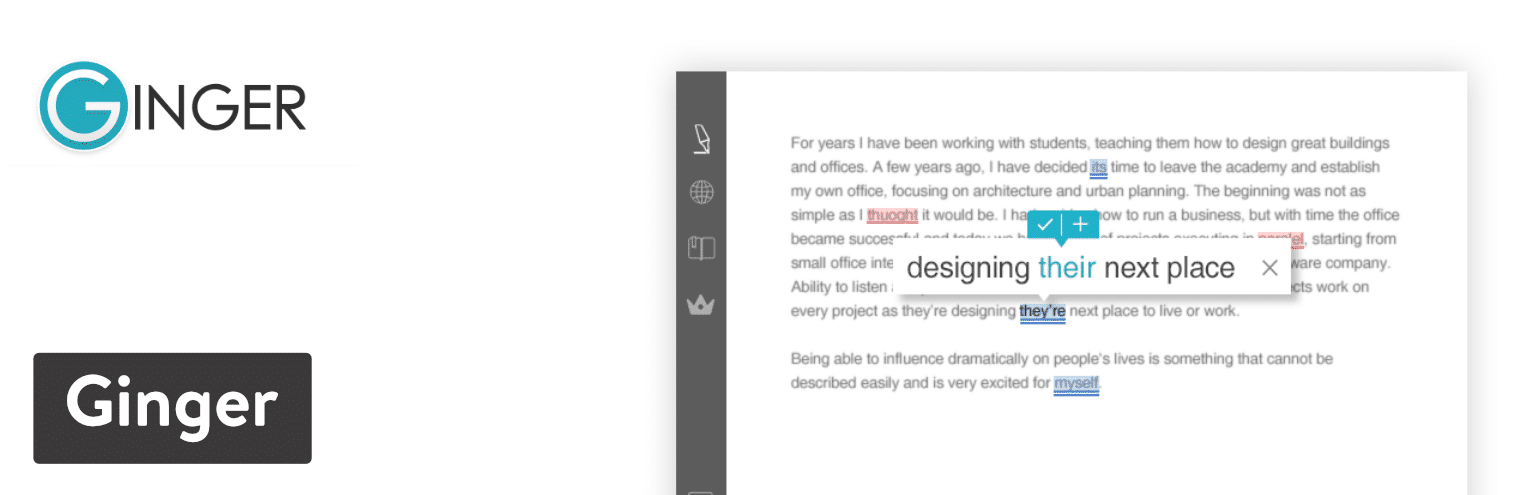
In order to activate tools for grammar checking, sentence rephrasing, and analysis of your mistakes, the premium version is required. This plan starts at $12.48 per month, but that’s if you pay annually. The standard monthly price is $20.97. Overall, Ginger is a quality grammar checker, but it’s more of a premium solution that you have to pay to get the best features.
Why It’s One of the Best Grammar Checker Tools for WordPress
- The interface is clean and user-friendly with support for grammar checking, sentence rephrasing, and text reading.
- There is a free Chrome extension for translations and definitions.
- The pricing isn’t that steep if you pay for it annually.
- Ginger proofreads as you type in a wide range of online apps, such as Gmail, WordPress, and Slack.
- It offers a personal trainer feature that helps you improve your English over time.
- The text reader feature allows you to listen to your written text to see how it sounds.
- You can use Ginger while writing on several devices, such as phones, computers, and inside of Microsoft Office.
4. WhiteSmoke
The WhiteSmoke software completes several tests as you write your articles, papers, or emails. WhiteSmoke comes as three separate products, all of which complete similar tasks. It all depends on which programs and devices you’re utilizing.
The first one is called Desktop Premium, which works on Windows and all major desktop browsers. The second is called WhiteSmoke Web, which is not a native software but a browser-based version of Desktop Premium. Finally, the Mobile App ensures that all of your texts, mobile emails, and other communications are done the right way on your smartphones and tablets.
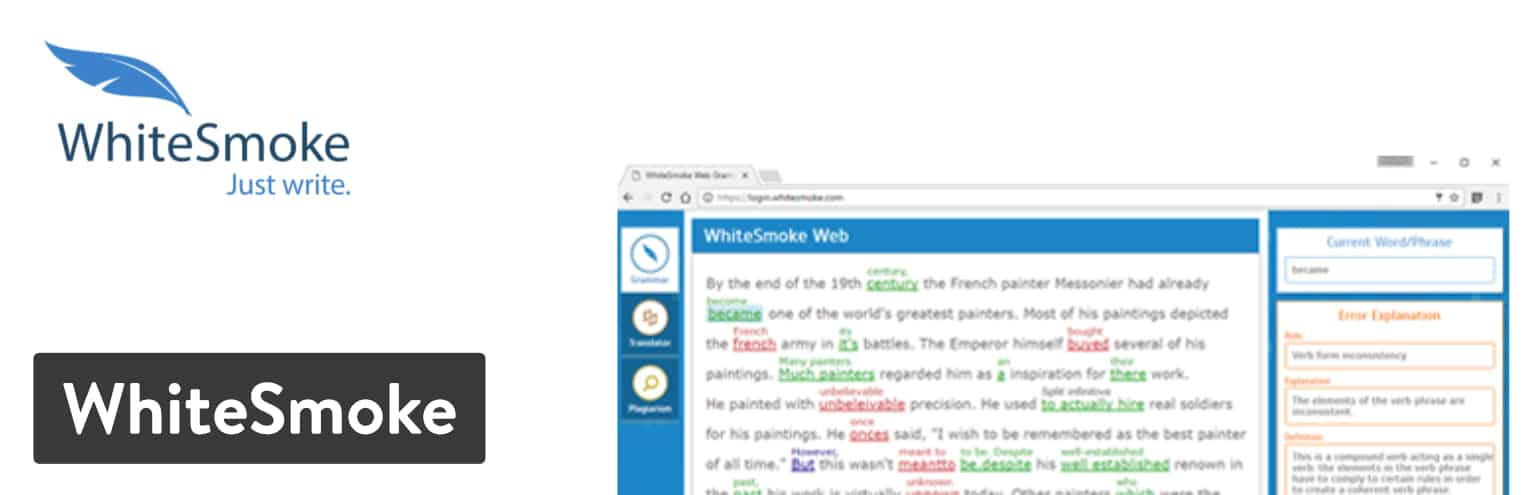
There is no free plan for WhiteSmoke, but the pricing starts at $8.33 per month and goes up to $22.99 per month, depending on the features you need. These prices are for when you pay a full year upfront. You also have the option to almost cut those prices in half if you opt for a three-year payment plan.
Why It’s One of the Best Grammar Checker Tools for WordPress
- WhiteSmoke comes with hundreds of email and document templates to start your writing off on the right foot.
- Although WhiteSmoke does not have a free version, the premium plans are quite affordable and the feature-sets make it a great value.
- It’s one of the few grammar checker tools that have a viable mobile app for keeping your writing clean on your mobile devices.
- A plagiarism checker is included to make sure you’re not copying anyone else’s work.
- You can translate your writing to several other languages.
- Some of the plans work with both Windows and Mac computers.
- WhiteSmoke instantly proofreads your work in both Microsoft Office and Gmail.
- The software seems to work pretty well when you have WordPress opened in a browser.
5. Jetpack
You may be familiar with Jetpack as an all-in-one plugin for WordPress. You can take advantage of everything from social media sharing to security tools. That’s just a small portion of what Jetpack can do, but overall, it can be a good option for those who don’t want to install dozens of plugins on one WordPress site.
Jetpack also provides support for grammar checking and proofreading. This is powered by the After The Deadline technology, which is an open source grammar checker software which is used in some corporate applications, including WordPress.com.

Because Jetpack uses After The Deadline as its grammar checker, all you have to do is install and activate the Jetpack plugin. Then, enable the “Check your spelling, style, and grammar” option within the Jetpack settings.
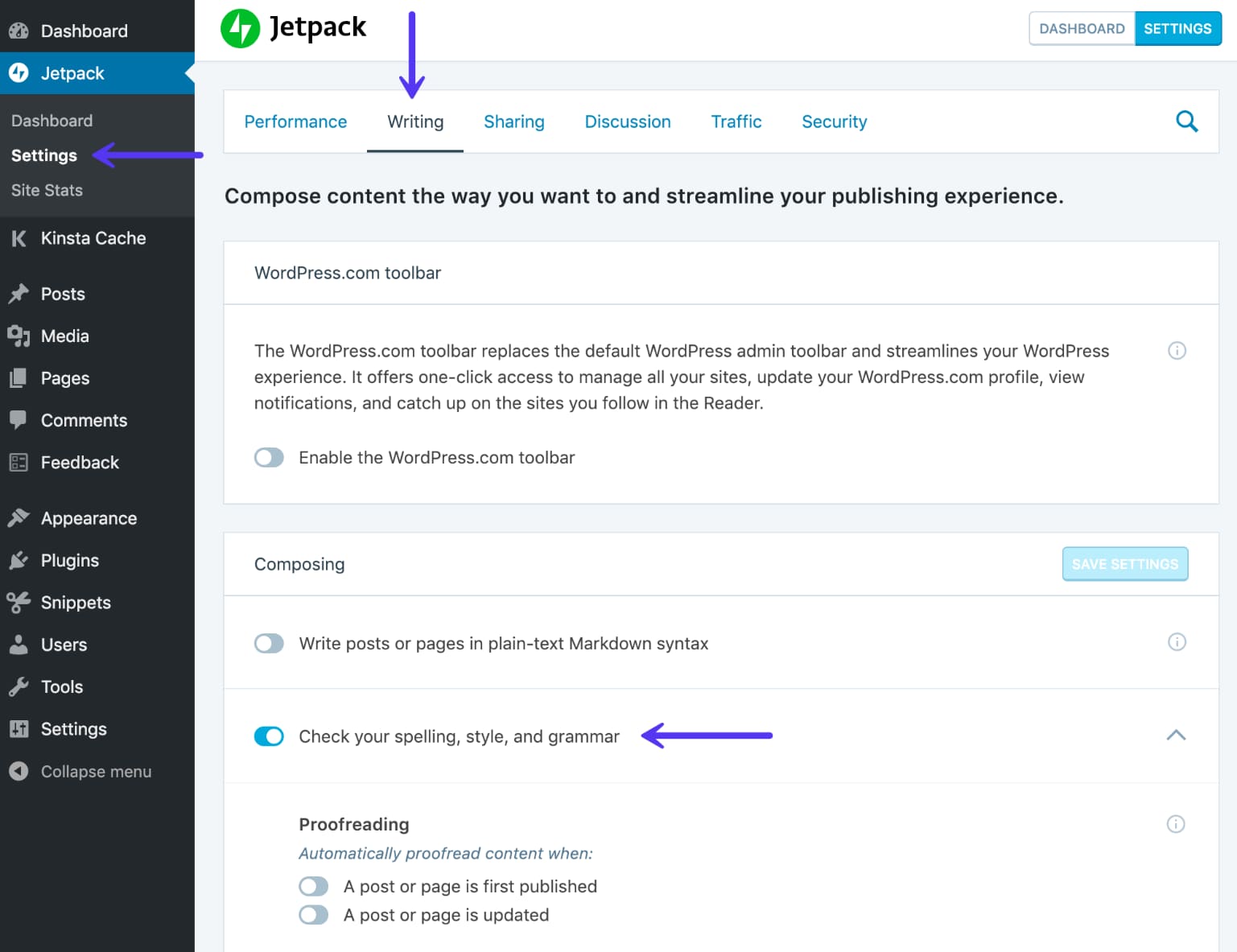
After that, a proofreading button appears in the text editor for posts and pages.
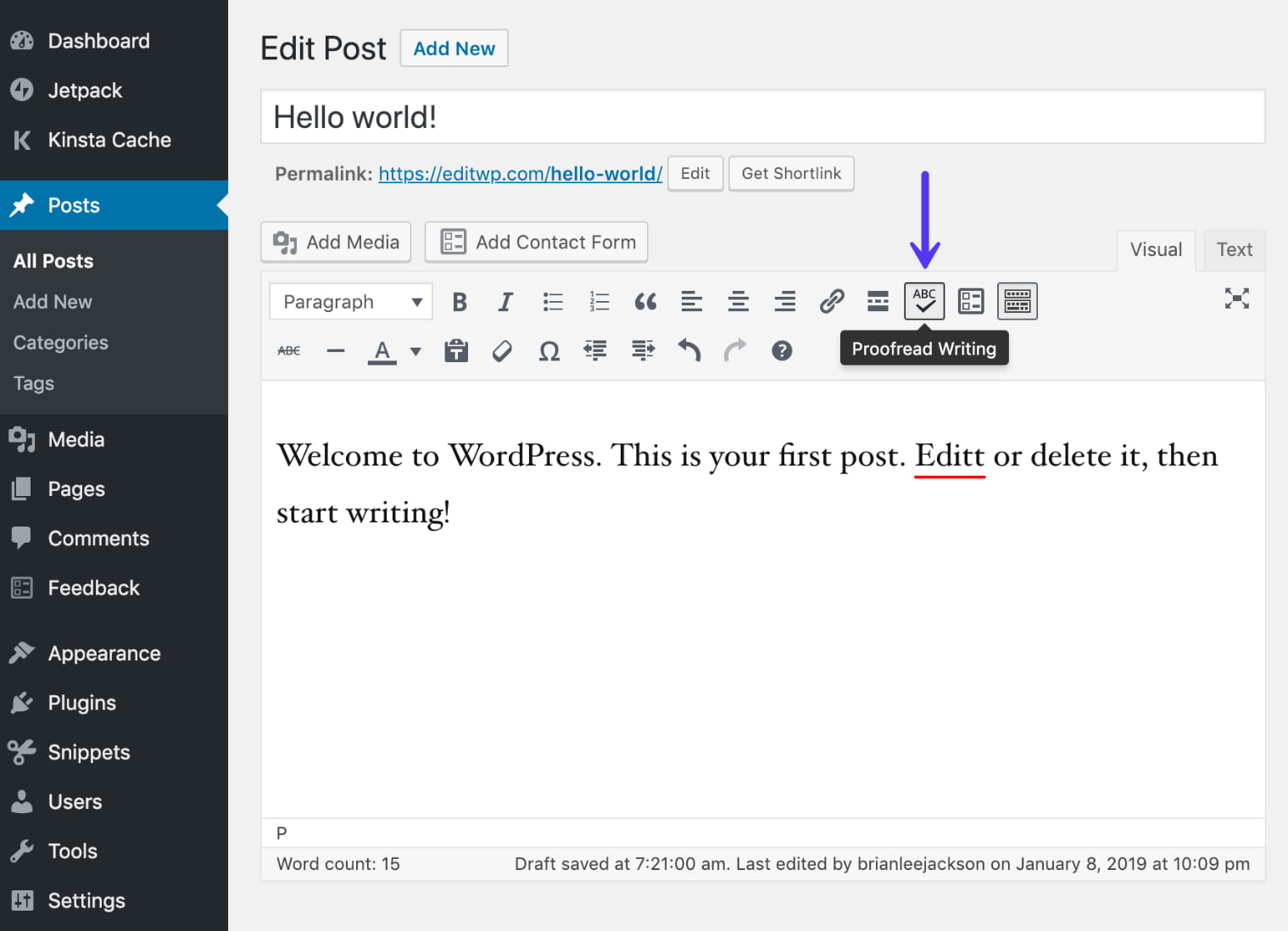
Since this is After The Deadline technology, the software checks for misused words, spelling problems, style issues, and grammar mistakes. One of the most interesting parts of Jetpack proofreading is that it also checks for poor writing–like for double negatives, hidden verbs, and offending language.
Some of the features in Jetpack require a payment, but the proofreading and grammar checking tool is free of charge.
Why It’s One of the Best Grammar Checker Tools for WordPress
- Jetpack is one of the most commonly used plugins on WordPress, so you know it’s going to work well while writing.
- You also get several other tools with Jetpack. Some of these include powerful options for SEO, security, social media, and more.
- The Jetpack grammar checker is free.
- You have the option to turn on/off some of the proofreading settings.
- Style options include checking for jargon, bad phrases, complexities, and biased language.
- The grammar checker is not only for English users. It also supports German, French, Spanish, and Portuguese.
6. LanguageTool
LanguageTool has the best of many worlds coming together in one of the sleekest and best grammar checker tools on the market. To start, you can copy and paste in a piece of text right on the Language Tool homepage. It also provides a highly-rated Chrome extension to use the grammar checking features in all of your favorite web apps. This includes options like Gmail, WordPress, and online text editors.
The premium version gets you more grammar checking tools and an integration for Microsft Word–all for $19 per month. This price goes down quite a bit if you pay for one or three years in advance.
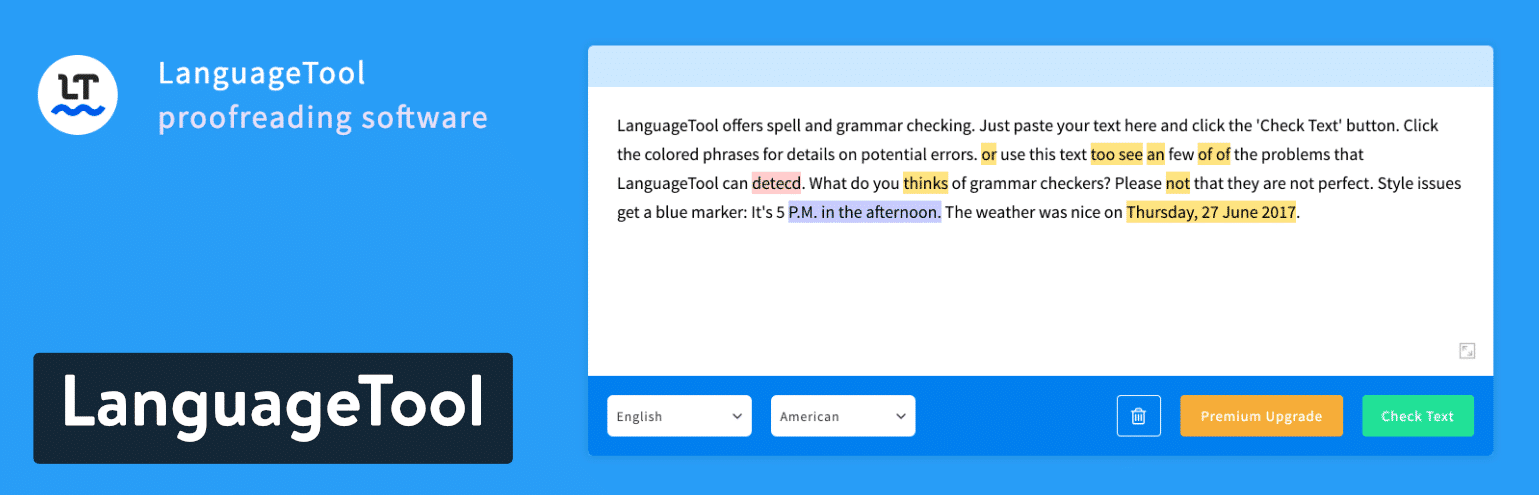
The free version is quite suitable for most users, considering you get most of the standard features. The only limit is the 20,000 characters per grammar check. So, you might find that some of your long form articles are unable to utilize the LanguageTool technology. Other than that, I really like Language Tool for its descriptions on each grammar or spelling correction. This explanation is automatically shown at the top of the suggestion box instead of forcing you to click on some sort of “explanation” button (like many of the competitors make you do).
One of the best parts about LanguageTool is that it supports a large library of languages besides English. The app tries to auto-detect your language, but you can also set it from the start. At the time of this article, I’m counting 27 languages, including Greek, Romanian, and Italian.
Why It’s One of the Best Grammar Checker Tools for WordPress
- It has a free version with most grammar checking tools included. The only limit is the character count.
- Language Tool is one of the most powerful options in terms of language support.
- The premium upgrade is extremely affordable if you pay for one or three years in advance.
- You can install a Chrome extension to grammar check writing in WordPress, Gmail, and other apps.
- There’s an online grammar checker if you find that Language Tool doesn’t integrate with your app or if the Chrome extension doesn’t work well for an app.
- Dozens of add-ons and native software options are provided for things like Google Docs, Microsoft Word, and LibreOffice.
7. OnlineCorrection
OnlineCorrection appears to be the most basic of all of our best grammar checker tools on the list. However, there are some subtle features that make it perfect for some users out there. To start, it’s only a web-based grammar checker. Therefore, you must navigate to the website and paste in your text (or write inside of the text box) to see the suggestions. So, it doesn’t offer a direct integration into WordPress, but maybe we’ll see something in the future.
That being said, I mentioned that a few smaller features will stand out for some users. To start, all grammar suggestions are highlighted. That sounds pretty standard, but where OnlineCorrection excels is how the suggestions appear automatically when a user scrolls over the highlighted text. I know this sounds minuscule, but most of the grammar checkers on this list require you to click on the text, adding an extra step.
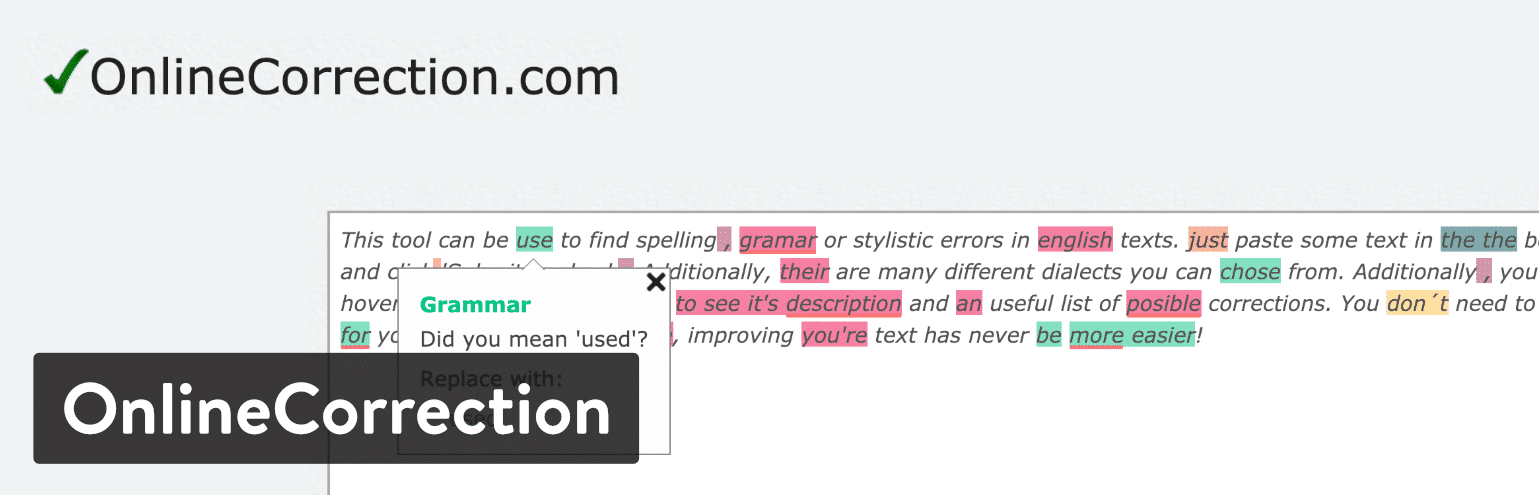
n addition, OnlineCorrection covers far more than grammar. In addition to grammar, it provides hints for spelling, typographical errors, spacing, and duplication. You can even make it so that OnlineCorrection automatically corrects these errors without having to go through the document. In addition, stylistic hints are shown in the box below the text editor, expanding on what has been shown up above.
Finally, some unique English dialects are supported through OnlineCorrection. For instance, you can switch between American, British, Australian, New Zealand, and South African English.
Why It’s One of the Best Grammar Checker Tools for WordPress
- OnlineCorrection is free.
- It has a clean online interface so you don’t have to worry about integrating with any other apps. Simply paste in your text and click on the Submit button.
- A handful of English dialects are supported.
- Some unique checks are made, such as spacing errors and duplication.
- Text correction is also provided for several different languages, such as German, Polish, and Italian.
- All grammar, style, and spelling hints and suggestions are shown when the user scrolls over the highlighted text–as opposed to having to click on it.
Which of the Best Grammar Checker Tools are Best for You?
Some of the best grammar checker options are made for integrating with multiple apps. Others have specific functionalities for finding unique errors or supporting different languages.
If you still have questions about which is the best grammar checker for you, take a look at our final recommendations:
- For integrating with WordPress and getting the best all-around grammar checker – Use Grammarly.
- To fix passive voice and adverb problems – Use the Hemingway App.
- For a clean Grammarly alternative – Think about Ginger.
- If you want the best mobile app grammar checker – Go with WhiteSmoke.
- For a free grammar checker that integrates perfectly with WordPress – Go with JetPack.
- For a clean online grammar box and dozens of languages – Consider Language Tool.
- If you want faster suggestions or support for other English dialects – Consider OnlineCorrection.
If you have any further questions or thoughts about the best grammar checker tools, let us know in the comments section below.