
10 Best WordPress Event Management Plugins (Calendars, Ticketing, RSVPs)
- Category : WordPress
- Posted on : Nov 03, 2018
- Views : 3,127
- By : Icarus M.

If you’ve ever tried to install a calendar plugin you know that it’s not exactly the same as a fully functional event management tool. Calendars display dates of events, while the best WordPress event management plugins offer functions like ticketing, RSVPs, guest management, automated email notifications, booking forms and more.
That’s why it’s so important to think about what you plan on doing with your WordPress calendar. Do you need to sell tickets for events? Would you like to display detailed information like images, maps, speakers, and payment methods? What about setting up irregular recurring events like a meeting you hold every three months?
In order to achieve some of the more advanced calendar features, a WordPress event management plugin is required. What’s great is that you have dozens of options to choose from, and the best ones are affordable, powerful, and easy to understand.
The Best WordPress Event Management Plugins in 2019
- Events Manager
- WP Event Manager
- Event Organiser
- All-in-One Event Calendar
- Event Espresso 4 Decaf
- The Events Calendar
- My Calendar
- EventOn
- Calendarize it! for WordPress
- Modern Events Calendar
1. Events Manager
The Events Manager plugin offers an excellent free version, but you do have the option to upgrade to Events Manager Pro. The average user won’t need the Pro version, but it does have some great features for the low price of $75. For instance, the upgrade gets you premium support, a custom payment gateway, API, spam protection, coupons, discounts, customizable booking forms, and PayPal support. So, registrations are possible with the Events Manager plugin, but you’ll have to pay the extra fee to start collecting payments with something like PayPal or Authorize.net.

The backend interface is simple enough for the average WordPress user, and when displayed on the frontend, your events calendar can be used for selling tickets, showing a simple calendar, or displaying event details. I like that the plugin integrates with your iCal feed and Google Calendar. You can also utilize some of the widgets for showing locations, full calendars, or individual events.
As for showing your events on the calendar and being as detailed as possible, the Events Manager plugin gives you most features you need without paying any money. For instance, Google Maps can be embedded in the events pages. There is also a tool for creating custom event attributes. This means that pretty much any type of description field is possible–like if you wanted to make an area for the dress code.
Why is it One of the Best WordPress Event Management Plugins?
- The Events Manager plugin provides a full event creation and sharing center for free. The main reason you’d upgrade to the paid version if for payment support.
- The plugin allows for recurring and multi-day event registrations, along with booking management with approvals and rejections.
- You can hook up BuddyPress to the plugin for sharing events in your social network.
- The single day event registration is straightforward, as it includes start and end times and the basic event information.
- There’s one feature that lets users and guests submit their own events, which is great for public event websites and smaller organizations run by multiple people.
- The plugin puts quite a bit of weight on locations, so you can add Google Maps and set up an area to view events based on their locations.
2. WP Event Manager
WP Event Manager is one of the simpler, lightweight WordPress event management plugins. I see it working for those who want to keep their sites fast and not take up too much space or clutter the backend with too many features. This plugin might be considered the new kid in the event management space, but it’s a popular plugin with great reviews and even better customer support. We’ve even noticed that users rave about the developer support for the free version of the plugin.
As with many of the plugins on this list, the WP Event Manager plugin offers a free, core plugin, along with the option to buy add-ons to ramp up your operation. Although the interface is sleek and simple, the free plugin’s feature list is quite impressive. For instance, you receive everything from multilingual translations to frontend forms, and to widgets and shortcodes for searchable event listings.
I’ve also noticed that the WP Event Manager developers have put quite a bit of effort into speed and user-experience–with beautiful caching features, responsive elements, AJAX-powered event listings, and more.
As for the premium add-ons, there’s a long list of them, but here are some highlights:
- Google Maps.
- WooCommerce Sell Tickets.
- Registrations.
- Event Alerts.
- An Embeddable Event Widget.
- Contact Organizer.
- Emails.
- Sliders.
- Google Analytics.
- Event Tags.
Why is it One of the Best WordPress Event Management Plugins?
- The WP Event Manager plugin features a lightweight interface and a beautiful user experience. It has caching built-in, a wonderful search module, and a completely responsive design.
- The developers are highly responsive and friendly for all customers, even the ones using the free plugin.
- You don’t have to pay a monthly fee, or anything like that, for a premium plugin. It’s configured so that you start with the base plugin, then you can pay for some of the add-ons if needed.
- Some of the add-ons are free, and the others are still affordable. Many of them go for $39, but I’ve noticed some lower priced ones as well.
- The entire calendar area is “AJAXified,” so it’s one of the smoothest browsing experiences on the frontend.
3. Event Organiser
Event Organiser delivers a suitable event management solution for the WordPress environment because of its combination with default custom post types. Essentially, you install this plugin, then choose the right custom post type to maintain the WordPress post format, but gain control of some additional events modules. Therefore, it’s an intuitive user interface, with the basic features required and some great support for one-time and recurring events. You’ll find several premium add-ons to buy along with this event management plugin. One of them is called Event Organiser Pro, and it offers a booking form customizer, a full management area, customizable emails, and various payment gateways.
You’ll also see some other add-ons that expand the functionality of your free or premium Event Organizer plugin. Some of them include:
- Frontend submissions.
- Discount codes.
- Stripe Gateway.
- iCal Sync.
- Free add-ons: Posterboard and CSV export.
The pricing for each plugin varies, but it seems like the more advanced and feature-packed they get, the higher the pricing. Some of them go for around $15, while others are listed at $50. I enjoy the frontend of this plugin since it provides a basic interface with colorization and interactivity. You also have multiple formats you can choose from, such as lists or calendar configurations. Showing the calendars and events on your website is done with the help of shortcodes and widgets. So, the average WordPress user shouldn’t have any problems with getting up and running.
Why is it One of the Best WordPress Event Management Plugins?
- The basic plugin is free, and you only have to shell out $50 for the premium version. You might end up paying more for the additional plugins, but the pricing looks reasonable.
- The widgets and shortcodes are quite versatile, with widgets or event lists, calendars, and agendas. The shortcodes are shown as event lists or full calendars.
- Localization is a strong advantage of the Event Organiser plugin. Dozens of languages have been provided by several contributors.
- A good amount of support is provided for developers. For instance, plugin actions and filters are available, along with an API and documentation.
- The plugin allows for complex recurring events, so if you have an event going for three days, stopping for one day, then continuing for two more, that’s entirely possible. Something more common would be an event that occurs every two months.
- You can create and maintain venues and locations for all events. This includes support for Google Maps, so users come to your calendar and quickly identify which events are in their area.
4. All-in-One Event Calendar
If you’re looking for a WordPress event management plugin without any premium version, the All-in-One Event Calendar plugin might do the trick. It has a decent number of features right out of the box, with items like recurring events, filtering, and embedded Google Maps, all for free. The developers from Time.ly have put together two ways of paying for extra features, one where you opt for a payment plan, starting at $9 per month. The other option involves paying for add-ons, like some of the following:
- Extended Views.
- Frontend Submission Forms.
- Super Widgets.
- Venues.
- Twitter Integration.
- And More.
So, you have the opportunity to figure out which route is more economical for you. I like the add-ons, since some of them are free and some start at only $29 per year. Then, you have the option to pick and choose the features you actually need, instead of paying for a premium version you’ll only use part of.
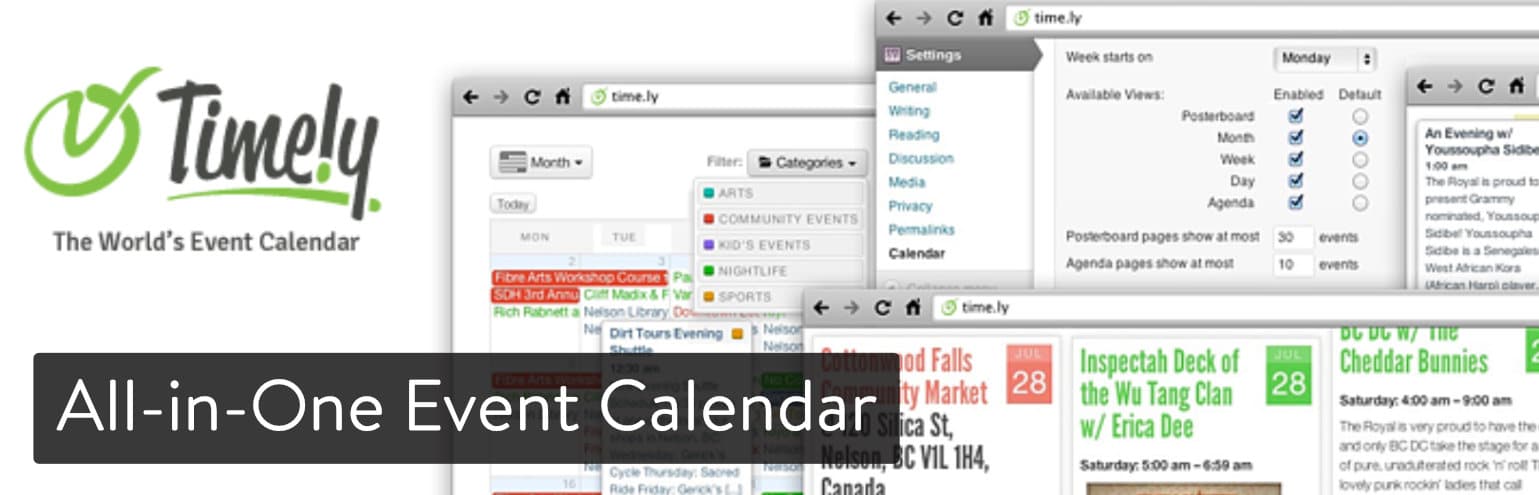
This is one of the more robust add-on libraries you can find in any WordPress event management plugin, so if that’s your style you should consider the All-in-One Event Calendar.
The free version still has its upsides, with the ability to import events from Facebook, social sharing, venue auto-saving, and recurring events. The plugin stands out in the sharing/importing realm, since it offers tools for easily sharing and importing data from Google Calendar, Apple iCal, and MS Outlook.
Why is it One of the Best WordPress Event Management Plugins?
- The plugin offers a free plan, along with monthly premium packages, and add-ons–giving you a wider range of payment options than most plugins on this list.
- The recurring payments feature has complex timing patterns, so if you wanted to run an event every three months, that’s an option.
- The All-in-One Event Calendar provides support for several external calendars, with import, export, and sharing tools for platforms like Google Calendar and Apple iCal.
- The frontend display looks beautiful and filled with information. This is particularly true for the posterboard format.
- The add-on library is far bigger than other competitors on the market. Therefore, you can obtain advanced and unique features like MailChimp integrations, advanced keyword searching, and a tool called EventPromote that monetizes frontend submissions.
5. Event Espresso 4 Decaf
Event Expresso has been a crowd favorite for some time now, and now the developers have come out with the most recent Event Espresso 4 Decaf version. The “Decaf” version is completely free and filled with some basic features like event ticketing and registration. What’s more is that you can process PayPal payments without having to upgrade to one of the paid plans or by getting an add-on. The automated confirmation emails are interesting as well, since you can send out event reminders and link that up to your event registrant list. Finally, another awesome part of the free plugin is the Android and Apple app support for scanning tickets and tracking who comes to your events.

As for the premium plans, they start at $79.95 per year and go all the way up to $299.95 per year. You’ll receive over 60 features and dozens of add-ons depending on the plan you go with. The add-ons are quite plentiful as well, so if you’re not interested in paying for the entire pro version, pick and choose the features you want. For example, you might only need an add-on to gain support for one of the payment methods. In that case, you only pay $69.95 for the one add-on.
As you may start to realize, the payment plans are much better values than the individual add-ons. But only paying for one or two of them might save you a little money.
Why is it One of the Best WordPress Event Management Plugins?
- You have all sorts of payment options. One of them is to go with the completely free Decaf plugin. Another offers yearly pricing plans, while the last one lets you pay for add-ons individually.
- You can actually process payments through PayPal Express Checkout without buying an add-on. It’s free.
- There’s also a tool for sending out automated email notifications to your event subscribers.
- The Apple and Android apps make a seamless ticket checking process when the event begins.
6. The Events Calendar
The Events Calendar plugin is made by the developers at Modern Tribe, and it’s packed with features for making a highly professional calendar on your website, alongside a management area. The whole point of the Events Calendar plugin is to get up and running within minutes. It has a rapid event creation tool for those organizations that want events listed on a website but don’t have all the time in the world. You can also save venues and organizers for later and present different calendar views for a sleek user-interface.
The core plugin works smoothly for simple calendars. It has a beautiful premium version for $89 per year. It’s not the cheapest option on this list, but you gain access to several great features like recurring events, shortcodes, and custom event attributes. You can collect RSVPs for free with the core plugin and get payments with their free Event Tickets plugin. If you need more advanced eCommerce capabilities, you can also get the Event Tickets Plus premium add-on.

On the frontend, you can choose from a wide variety of layouts, from lists to regular calendars. The calendars are clean and modern, with support for maps and other essential event information. One of the main reasons I like the Events Calendar plugin is because it integrates with Eventbrite.
Why is it One of the Best WordPress Event Management Plugins?
- The main event management plugin is free.
- You can connect the calendar to Eventbrite and either import into Eventbrite or pull the events from your Eventbrite page into your website’s event calendar.
- Some of the add-ons and plugins are far more interesting than the average event management plugin. For example, Modern Tribe has a plugin called GigPress, where musicians and managers can manage gigs and concerts.
7. My Calendar
With the My Calendar plugin your events get displayed on multiple websites through WordPress multisite or on however many pages you’d like on an individual website. This is a standard calendar plugin without much event management behind it. However, you do have the option to upgrade with some of the premium extensions and free plugins. For example, the My Tickets plugin is free and it integrates with the My Calendar plugin. The combination turns your calendar into a ticket sales operation for people to purchase tickets, RSVP, print the tickets, or pick them up at a physical location.

The My Calendar Pro plugin goes for $49 per year and truly turns the core plugin into an event management portal. Let visitors submit their own events, accept payments through PayPal and Authorize.net, and import events from multiple sources.
The regular My Calendar plugin has a full calendar grid and list view, along with mini calendars and widgets for smaller displays. The location manager is there for when you have frequently used venues, and the email notification system sends you a message when a date has been reserved or scheduled. All in all, the My Calendar plugin is fairly robust for a free option, yet I wouldn’t call it complete until you upgrade to the $49 per year.
Why is it One of the Best WordPress Event Management Plugins?
- The plugin gives you more of a simple calendar experience, cutting out many of the unnecessary features you might find in the competition’s plugins.
- You can import events from places like Google Calendar and iCal.
- The $49 per year is quite affordable for when you’d like to start accepting RSVPs and payments, along with frontend submissions.
- This plugin provides rich permissions, which are great for organizations that want to share some parts of the calendar with certain people and other parts to other users.
8. EventOn
EventOn is a premium-only WordPress event management plugin. This plugin is quite the gem if you’re willing to pull the trigger and not spend time playing around with a free plugin. Besides, the price at the time of this article is $23. At its most basic, the EventOn plugin is one of the most visually appealing event calendars on the market. The colorful, modern list and calendar layouts beat out pretty much all of the plugins on this list. Specifics such as times, locations, and event cancellations are all displayed right on the main calendar page. There’s also a beautiful tile layout that looks somewhat like a portfolio, except with all of your events listed.

EventOn also serves as a decent event management program, using event organization tools, location management, an excellent search bar for your users, and several social sharing buttons. It’s not that robust on the event management side of things, but it’s definitely a good-looking plugin for getting your events on your website.
Why is it One of the Best WordPress Event Management Plugins?
- For a premium events calendar and quality support, you only have to pay $23 per year.
- The visual layout of the events calendar is simply stunning. Whoever designed the thing deserves a pat on the back, because it beats out the design from most calendars I’ve worked with.
- Although the event management is mediocre, displaying your events is done by packing in lots of information without looking too cluttered. You can fit everything from maps to pictures, and purchasing buttons to social media buttons.
- The custom meta fields are great for adding up to 10 pieces of custom event data fields.
9. Calendarize it! for WordPress
Another premium plugin sold on CodeCanyon is called Calendarize it! for WordPress. Once again, this has more of a focus on making a great calendar, but for $25, and loads of other add-ons, Calendarize it! stands strong as one of the best WordPress event management plugins in the game. To start, many of the add-ons are completely free, so you don’t have to worry about spending a few extra bucks after you already download the original plugin. Some of the add-ons include an event countdown module, importer tool, and an accordion of upcoming events.
However, there are a few add-ons you have to pay for, even though they don’t cost much. The only problem I have is that the payment options add-on is one of the premium add-ons. So, you’re not going to have much functionality when it comes to accepting payments unless you shell out that extra cash.
That said, all of the premium and free add-ons are pretty spectacular, with social auto-publishing, RSVP tools, ratings and reviews, Eventbrite tickets, and even an Advent calendar.
Why is it One of the Best WordPress Event Management Plugins?
- You receive a visually appealing calendar plugin for the low price of $25.
- This $25 also gets you a year of premium support. This developer is considered to give out very good support.
- The plugin has several free add-ons you can download right after you purchase the core plugin.
- Although a few of the essential add-ons require extra payments, I’d argue that this is one of the more plentiful, unique collections of add-ons you can find. From community events to advertising options, and WooCommerce tickets to an Advent Calendar, uniqueness isn’t a problem.
10. Modern Events Calendar
The Modern Events Calendar plugin says quite a bit in its name, since it’s a high-quality, professional, and modern take on your standard events management layout. You can choose from a wide variety of designs, making it an excellent solution for branding and fitting in your website. It also includes a powerful booking system at only $34. Since this is sold on CodeCanyon you’re also signing up for a year of premium support, beating out some of those free plugins we’ve talked about earlier.

It’s also nice that the Modern Events Calendar provides an event repeating system, since those recurring events are always easier to handle when you don’t have to think about them everytime they come up. What’s more is that this developer promises that you can transfer over all of your events if you’re currently using a different WordPress event management plugin. For instance, if you had a full year of events in EventOn and decided it’s not for you, this plugin transfers all of those events over for you. With multiple skins for making the calendar your own, along with some awesome features like the Google Maps, featured image, and custom skin colors, we like this one quite a bit.
Why is it One of the Best WordPress Event Management Plugins?
- You only have to pay $34 for a complete event management system. There aren’t any add-ons you have to pay for later, and you get that premium customer support.
- Transfer over all of your events from a previously used calendar or event management plugin.
- There are some solid free integrations, like for PayPal and Google Calendar.
- The plugin has a booking system where you can build your forms however you want.
- Event creation is flexible, with event countdown modules, never-ending event options, repeat events, and more.
- The Modern Events Calander is compatible with WooCommerce and Visual Composer.
Some Additional Event Management Plugins
Unfortunately, we can’t review all the plugins, but here are a few additional ones worth a mention that you might also want to check out:
Is There One WordPress Event Management Plugin That’s Right For You?
The market for WordPress event management plugin options is quite vast. A quick search on the WordPress plugin library, Google, or CodeCanyon shows that many developers try their hands at event management. Hopefully, this list helps you narrow down your search, but if you still have some questions, here are some suggestions based on what your needs might be:
- If you’re looking for the best value: Event Organiser or Events Manager.
- If you need robust importing, exporting, and sharing features: All in One Event Calendar.
- For payment processing without having to pay anything (also if you want mobile apps for checking tickets): Event Espresso 4 Decaf.
- If you’re looking for a super lightweight event management plugin: WP Event Manager.
- If you’d like top-notch support (even for the free plugin version): WP Event Manager.
- For the most visually appealing calendar/event management tool: EventOn.
- For unique features: Calendarize it! for WordPress.
- The best WordPress event management plugin for matching the brand to your site: Modern Events Calendar.
From ticketing options to different calendar formats, each of the plugins has its own purpose for some businesses. If you have any questions about our WordPress event management plugin suggestions, or you’d like to talk about your own experience with a plugin above, let us know in the comments section below.
Categories
Subscribe Now
10,000 successful online businessmen like to have our content directly delivered to their inbox. Subscribe to our newsletter!Archive Calendar

| Sat | Sun | Mon | Tue | Wed | Thu | Fri |
|---|---|---|---|---|---|---|
| 1 | 2 | |||||
| 3 | 4 | 5 | 6 | 7 | 8 | 9 |
| 10 | 11 | 12 | 13 | 14 | 15 | 16 |
| 17 | 18 | 19 | 20 | 21 | 22 | 23 |
| 24 | 25 | 26 | 27 | 28 | 29 | 30 |
| 31 | ||||||
Recent Articles
-

Posted on : Jul 25
-

Posted on : Jul 07
-

Posted on : Apr 07
-

Posted on : Mar 19
Optimized my.cnf configuration for MySQL 8 (on cPanel/WHM servers)
Tags
- layer 7
- tweak
- kill
- process
- sql
- Knowledge
- vpn
- seo vpn
- wireguard
- webmail
- ddos mitigation
- attack
- ddos
- DMARC
- server load
- Development
- nginx
- php-fpm
- cheap vpn
- Hosting Security
- xampp
- Plesk
- cpulimit
- VPS Hosting
- smtp
- smtp relay
- exim
- Comparison
- cpu
- WHM
- mariadb
- encryption
- sysstat
- optimize
- Link Building
- apache
- centos
- Small Business
- VPS
- Error
- SSD Hosting
- Networking
- optimization
- DNS
- mysql
- ubuntu
- Linux






