In the past, we’ve talked about how WordPress squares up with other popular content management systems like Drupal, Joomla, and even Squarespace. But what if you’re trying to decide between WordPress vs static HTML for your website?
At a basic level, this is kind of a general debate between using a database-driven content management system (like WordPress) or writing all of the HTML/CSS yourself along with possibly using a framework.
To help you make your decision, we’ll explain what these terms mean and then jump into some of the pros and cons of each approach.
- Difference Between WordPress and Static HTML
- Pros and Cons of WordPress
- Pros and Cons of Static HTML Website
- Use WordPress as a Static Website Generator
Difference Between WordPress and Static HTML
In the end, everything comes out as HTML on the frontend. That is, your site’s code is going to look something like this no matter if you’re using WordPress or a static HTML website:
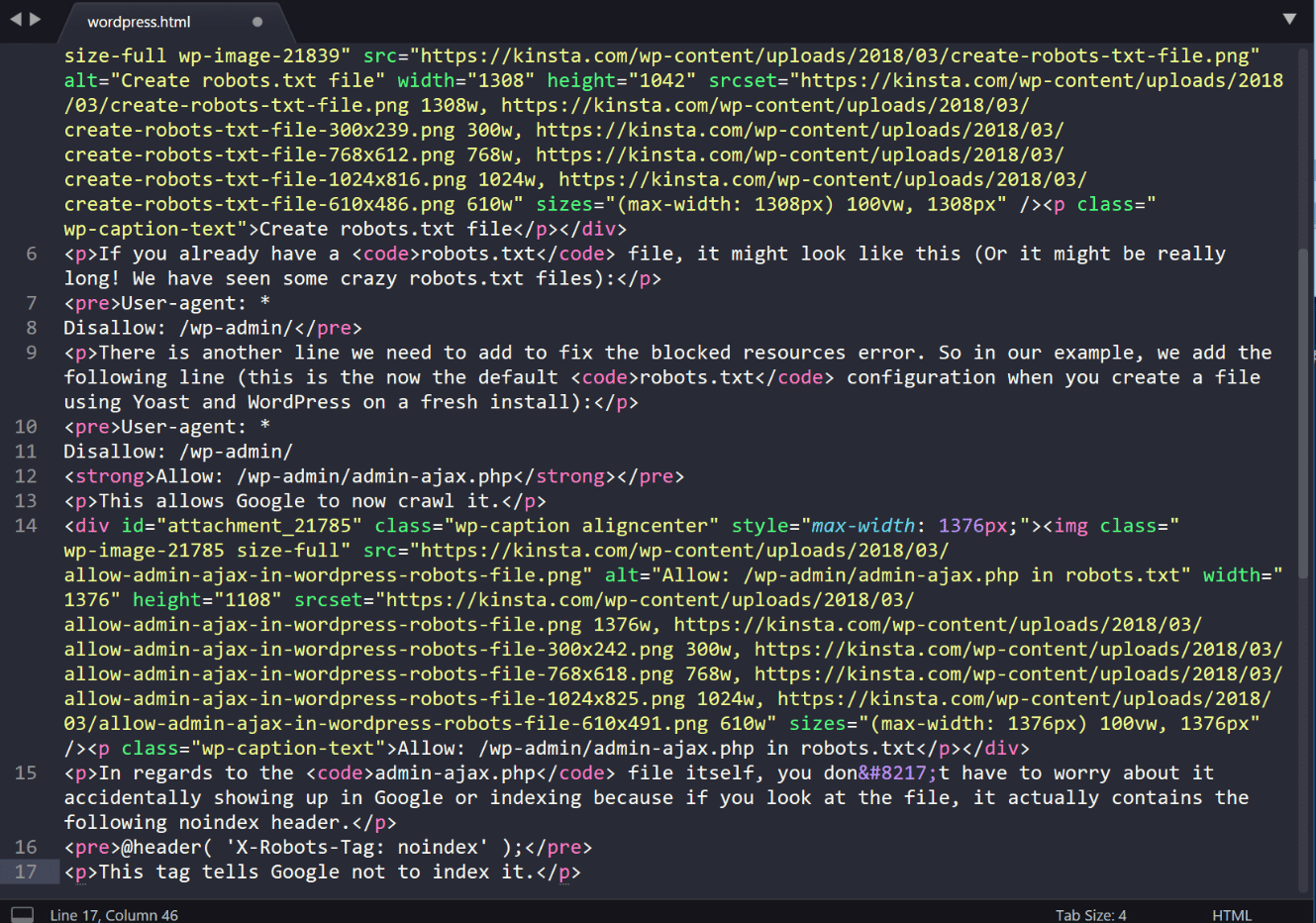
The important difference is in how that HTML comes into existence.
With static HTML, that story is pretty simple. You, or your developer, writes the code (including your content). Then, once it’s on the server, it’s always like that. There’s no background processing going on – your site is always right there in its finished form.
WordPress, on the other hand, is a content management system that uses PHP and a database. In simple terms, that means that when someone visits your WordPress site, your server “assembles” your site by:
- Executing the PHP code to put together the HTML version of your site
- Querying your database to get the content to insert into that HTML
What Is a Content Management System, Then?
Above, we told you that WordPress is a content management system, but we didn’t really explain what that means. A content management system, often abbreviated as CMS, is software that helps you create, manage, and modify content on a website without needing to interact directly with the code.
For example, instead of needing to manually add your content by formatting it with HTML like you would for a static HTML website, you can just input your content using the WordPress editor and WordPress will handle displaying it on your site:

Similarly, if you ever wanted to edit that content at a later date, you could just go in and edit it using that same editor, rather than needing to directly edit the static HTML file on your server.
Pros and Cons of WordPress
We’ll get into some of the pros and cons of a static HTML website in a second, but let’s start with some of the reasons that over 33% of the entire Internet is now using WordPress.
Code-Free Content Management
The biggest benefit of WordPress is that it can almost completely eliminate code from the day-to-day management of your website. Instead, most of the actions that you’ll want to take can be performed using a graphic interface.
With this graphic interface, you can:
- Create new content
- Change how your site looks
- Change how your site functions
- Configure important SEO settings
- Perform plenty of other important actions
Unless you live and breathe HTML/CSS (and probably even if you do), this approach is going to make it a lot easier to manage every aspect of your website.
Easy to Change How Your Site Looks
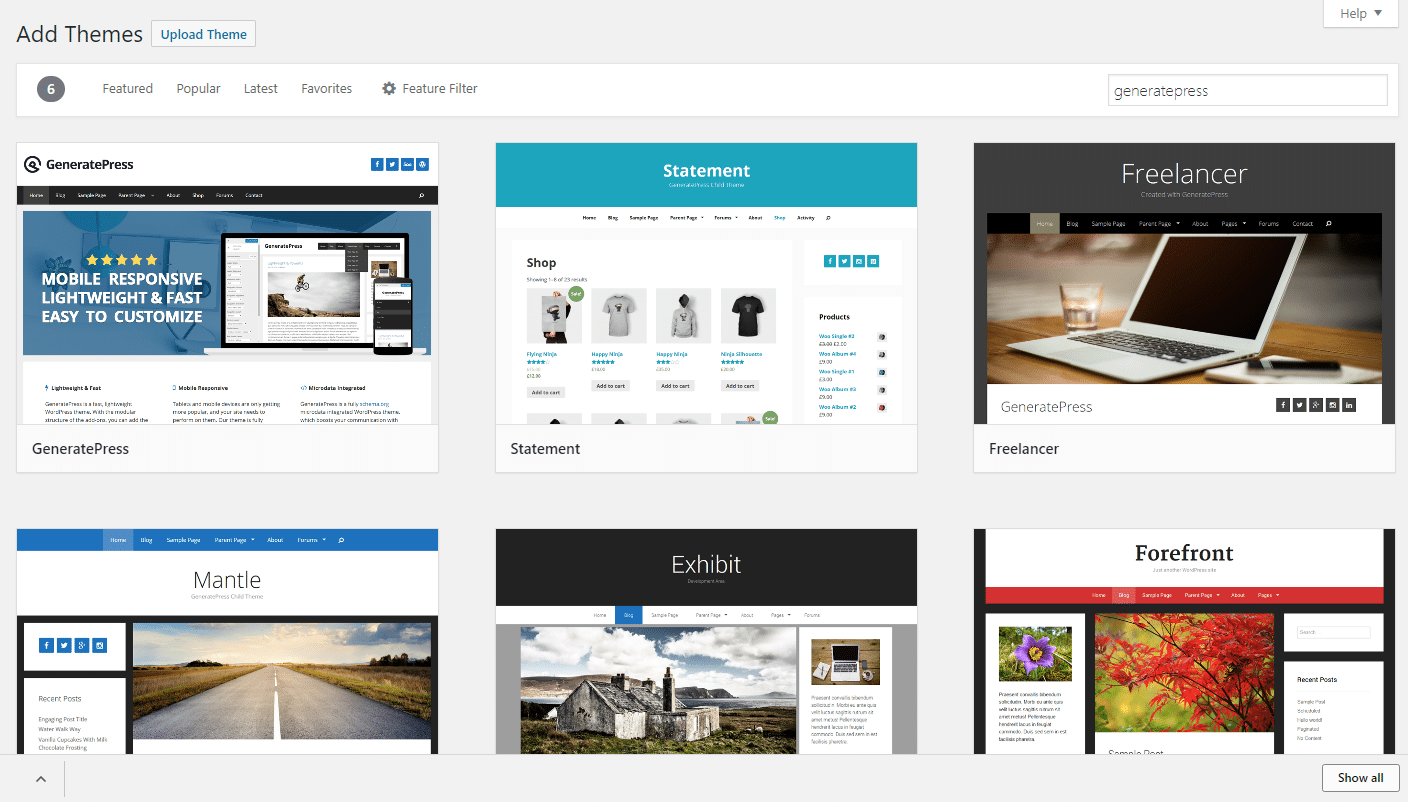
Every WordPress site needs something called a theme. Your theme determines how your site looks on the frontend. To install a new theme, you basically click a button or upload a single file and your site instantly adopts that styling:
On the other hand, with a static HTML site, you control how your site looks using your own CSS. Not only is this time-consuming to set up in the first place, it will be similarly time-consuming if you ever want to radically change how your static HTML site looks in the future. Yes, there are CSS frameworks you can use to speed this process up, but it still requires more work and expertise to be able to manage.
We know this first hand due to the fact that a majority of the Host SEO website was created with good ole Github commits. Yes, we utilize a WordPress theme and framework, and our code is wrapped in WordPress functions, but most of what you see on our site was created by our team. This can sometimes allow for greater flexibility, but it also requires having developers on staff. If you want to save time and don’t have full-time developers, going with a pre-built WordPress theme can drastically speed up your workflow.
Additionally, you need to worry about making all of your CSS responsive (AKA look good on mobile), whereas almost every single WordPress theme is responsive by default nowadays.
Easy to Add New Functionality
WordPress also offers something called plugins that allow you to easily extend the functionality of your site. Want to add a contact form to your site? With static HTML, you’ll need to deal with validation and what happens with the data that a user submits. With WordPress, you just install a plugin…
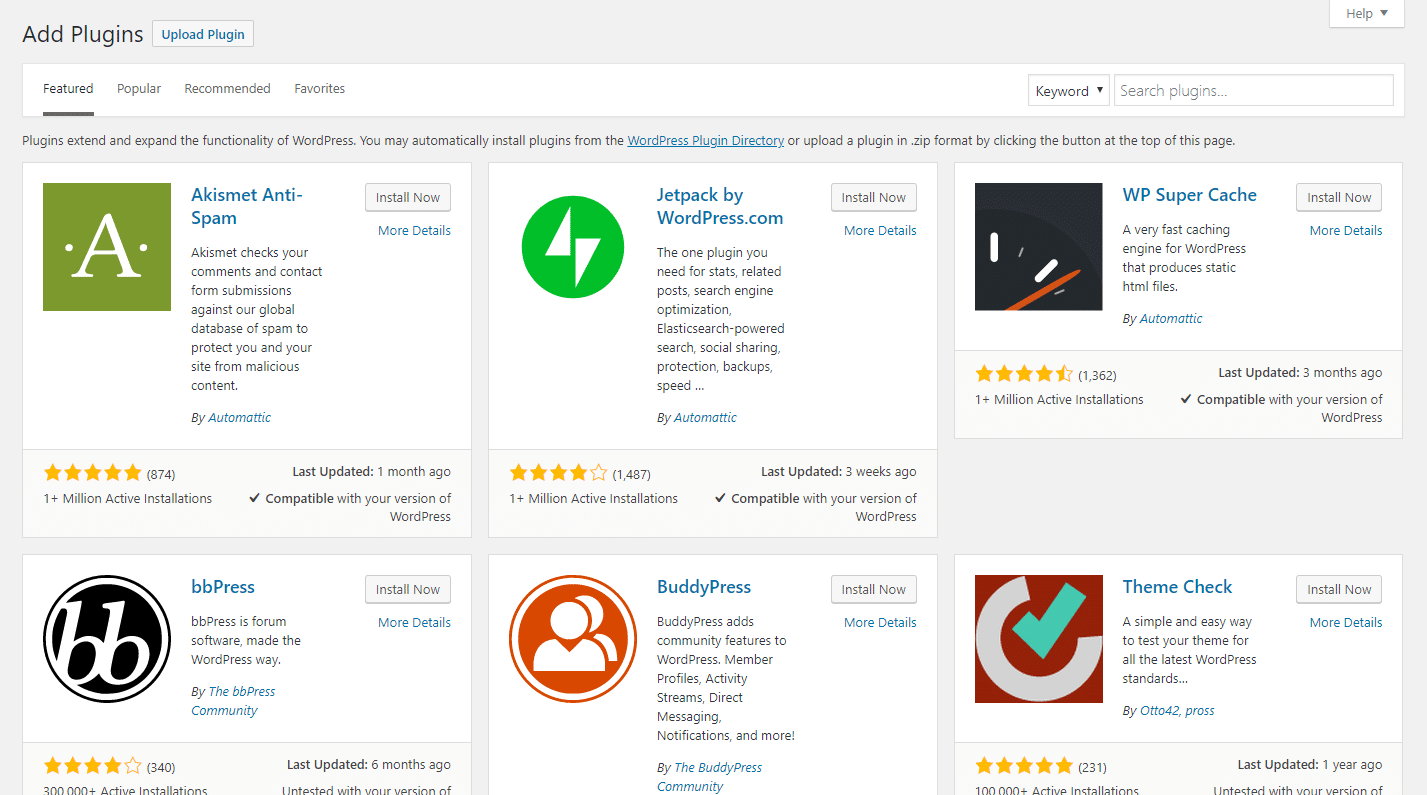
The difficulty gap gets even bigger with larger features. Want to add a forum to your site? Good luck doing that on your own. But with WordPress, you just need to install a forum plugin.
You can even quickly tack on eCommerce or social network functionality.
Rapid Development and Changes
The combination of themes and plugins, along with WordPress’ general functionality as a content management system, mean that you can quickly spin up even complicated websites.
Static HTML can be quick for a very basic site with just a few pages… but if you need any non-standard functionality, WordPress is almost certainly going to let you build a site faster.
Want more advantages? Check out these 10 good reasons why you should use WordPress.
Are There Any Cons to Using WordPress?
You’ll find some people saying things like “static HTML websites load faster” or “static HTML websites rank better in Google.” But some of this should be taken with a grain of salt. While it’s true that PHP and a database introduces additional load time and delays, it’s not that difficult to get WordPress load times under one second– which is plenty fast.
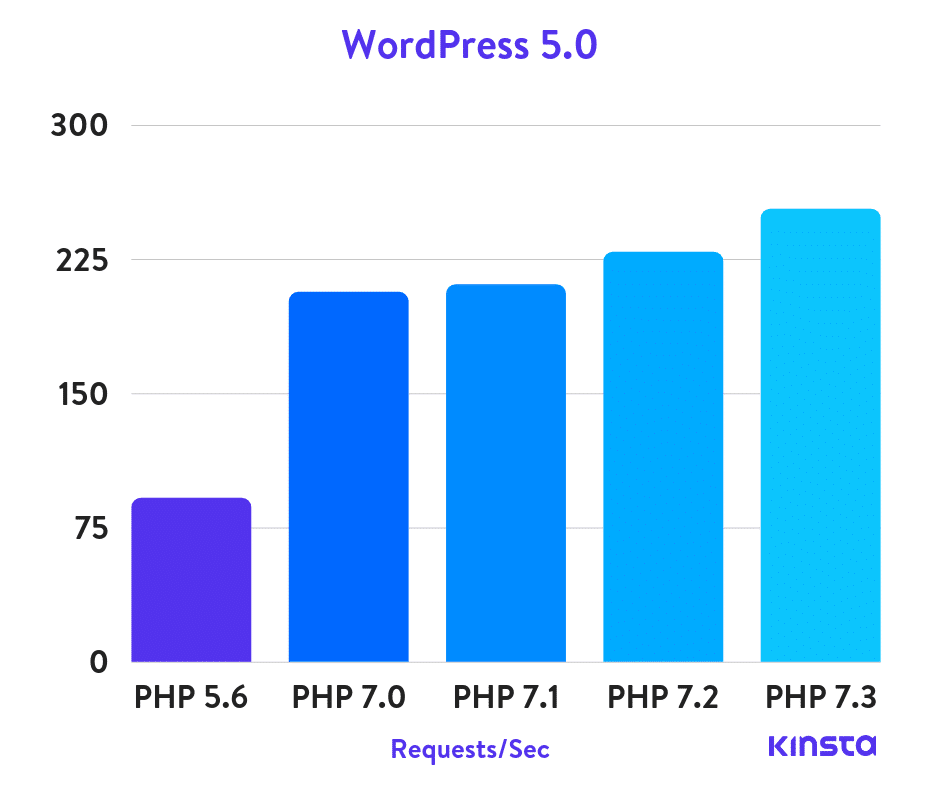
You should ask yourself, is having a slightly faster static site worth giving up the advantages WordPress has to offer? Also, PHP performance has improved drastically over the past five years. In our recent PHP benchmark tests, we concluded that PHP 7.3 can handle 3x as many requests (transactions) per second to that of PHP 5.6. ?
There are also ways you can easily negate PHP and database delays by using caching to serve static HTML versions of your pages. This means every page load can essentially load lightning fast, just as it would with a static HTML site.
How much does caching impact a WordPress site? Here is a quick test on a WordPress blog before and after cache.
Without Cache
We first ran a test with cache disabled on the WordPress blog.
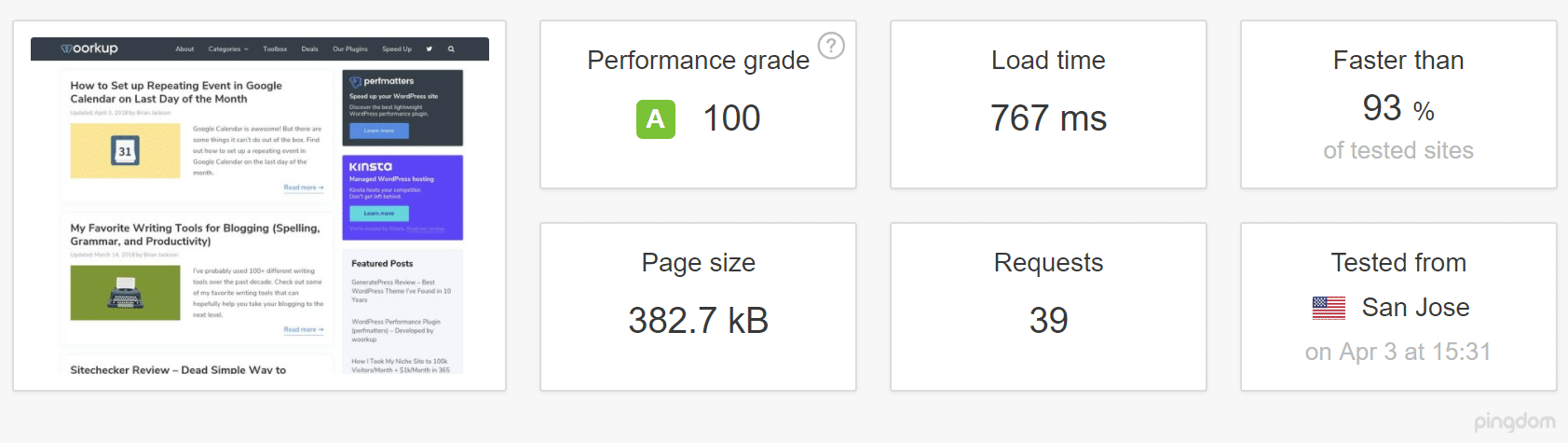
As you can see there is a significant delay in the first HTML DOC load. This is due to it not serving from cache on the server.
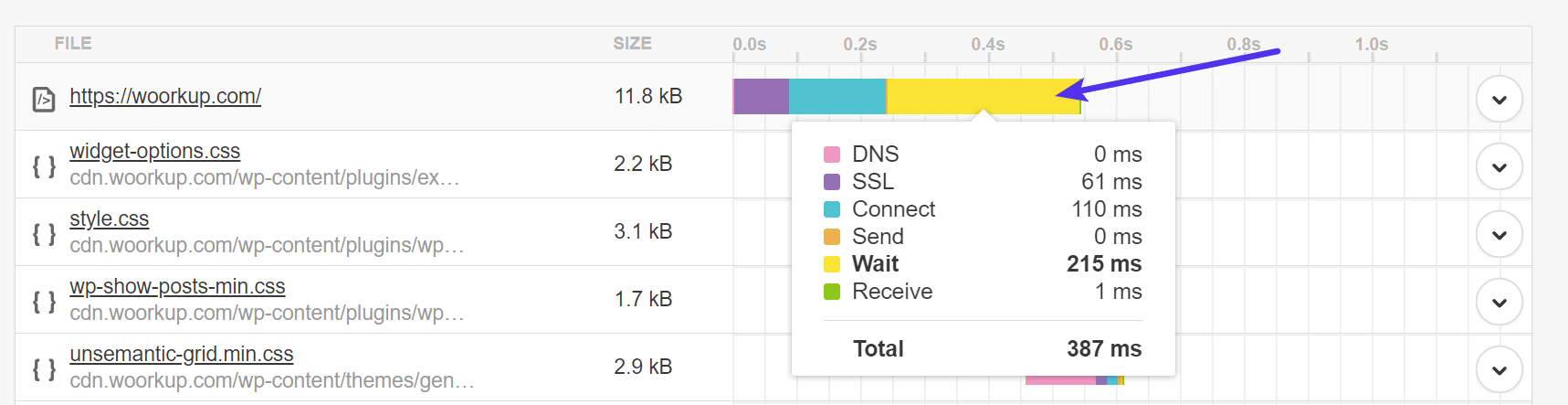
With Cache
We then ran a test with cache enabled on the WordPress blog. Nothing else was changed.
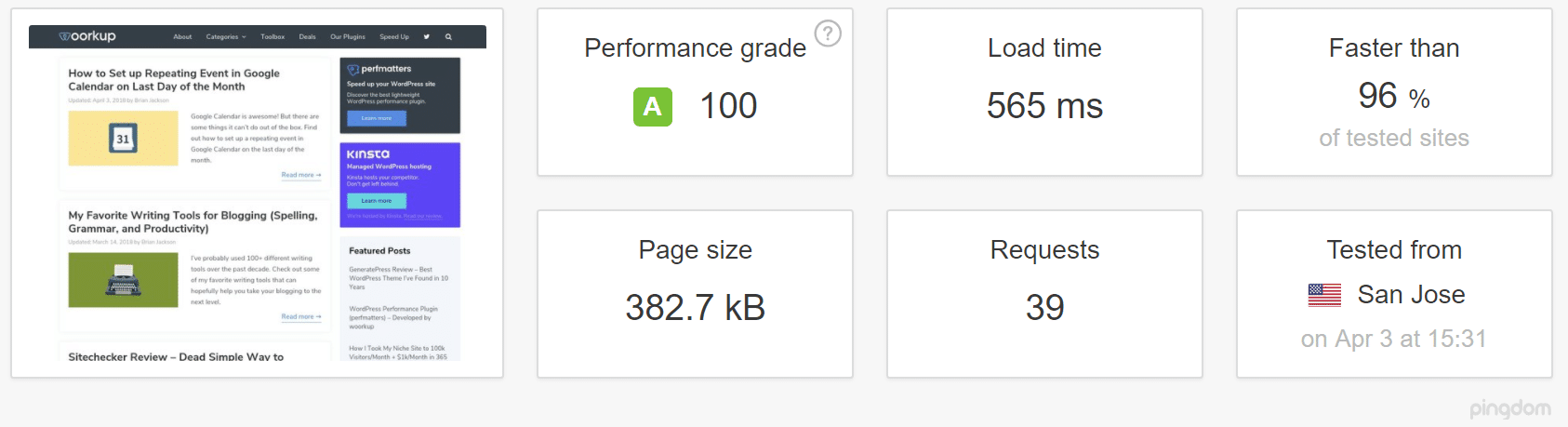
As you can see there is a massive improvement. In fact, simply serving up the initial page from cache on the server decreased the load time by 32.2%.

When it comes to the ranking rumors you might hear, there are great WordPress SEO plugins that let you control every aspect of your site’s technical and on-page SEO. If WordPress sites really performed worse than static HTML sites in the search rankings, you wouldn’t see it being used by massive platforms like The Wirecutter or TechCrunch.
There are a few small disadvantages, though, and the first is maintenance. While choosing quality managed WordPress hosting can eliminate much of the worst maintenance, you’ll still be responsible for making sure that the WordPress core software, plugins, and themes are updated and compatible. This is fairly easy nowadays, but it is something that you don’t need to do with a static HTML website.
The second disadvantage would probably be quality. Due to the extreme popularity of WordPress, there are a lot of bad plugins and themes out there. And free solutions sometimes just drop off the map entirely. Sorting through the bad to find the good can be time-consuming.
Pros and Cons of a Static HTML Website
You heard from WordPress – but now let’s dig into some of the pros and cons of a static HTML website.
There’s No Underlying Software to Maintain
We kind of talked about this a second ago, but let’s rehash it quickly here because it is one of the major benefits of static HTML.
When you use WordPress and themes/plugins, you’re responsible for updating all that underlying code and making sure there aren’t any compatibility issues. While this is pretty simple (you usually just need to click a button), it is something that you need to do to keep your website secure and functioning.
On the other hand, if you’ve written clean static HTML, you should be able to pretty much leave things alone and never worry about updates.
Easier Access to the Underlying Code
While WordPress lets you access all the underlying code to your site, a static HTML website will make it a bit simpler to input certain types of markup. Instead of needing to deal with theme template files and the WordPress loop, everything is right there in front of you.
For example, while there are schema plugins for WordPress, you can more easily control schema markup on a static HTML website.
What Are the Disadvantages of Creating a Static HTML Website?
While a static HTML website is certainly fine for a basic website, the main issues come about when you try to scale up, either in terms of the amount of content or functionality.
Most of these disadvantages are simply the opposite of WordPress’ advantages. Namely:
- Adding or editing content isn’t user-friendly because you’ll need to dig into the code.
- Adding new functionality requires that you code it yourself.
- Changing how your site looks requires rewriting your CSS.
Additionally, unless you actually know HTML/CSS yourself, all of these things will also require paying a developer, whereas WordPress would let you do them yourself, for the most part.
Use WordPress as a Static Website Generator
Static website generators differ from the above two options slightly as they take a content management system’s content, such as WordPress, combine it with a theme and generate static HTML pages. Jekyll is one of the most popular ones, which you can use to host your whole website or blog on GitHub Pages and push your new content with one command. The downside? It’s not easy (to say the least) to set it up, and even for developers, it can be time-consuming.
If you have a free afternoon to learn more about Jekyll then take a look at this article by Mike Neumegen. Alternatively, a flat-file CMS like Grav can give you easier content management while still avoiding the need for a database.
If you’re technically savvy, it’s even possible to get the best of both worlds and use WordPress as a static HTML website generator. However, you just have to remember that if you use WordPress in this way, you’ll have to make sacrifices:
- There won’t be any “real-time” dynamic content on your site, at all.
- No recommended articles for you or widgets that change for each visitor.
- You can’t use WordPress’s built-in commenting system.
Essentially, everything that is server-side (PHP) generated will become static and updated manually. Static website generators will create a complete HTML page based on your content and once it’s done, no matter how many people visit your site, it won’t be regenerated; not unless you type in a specific command on your computer.
Developers solve the commenting “problem” by either not using it at all or switching to JavaScript-based solutions, the most popular being Disqus or Facebook comments.
There are a couple of WordPress caching plugins that you can use to create static HTML files of your posts and pages, but if you’re using Nginx as your web server (if you aren’t, you really should, but that’s a topic for another article) you can just flip the full page caching switch on and set it to expire in a day or a week. The longer period you can “afford” to set it to, the better.
What happens next is that the first visitor will have the server generate the complete, cached HTML files and any consecutive visitors within the predefined expiration period will get served those files. Here a Host SEO, our servers use the nginx fastcgi cache module for page caching. How to set it up, you ask? Well if you manage your own servers here’s an extremely detailed guide by DigitalOcean that you can follow.
Cloudflare Full Page Cache
You can also utilize Cloudflare page rules with WordPress and serve your entire site from cache. WP Bullet has a great guide on how to set up Cloudflare cache for your WordPress posts and pages.
This can be very beneficial for sites that are launching an event or are expecting a huge surge of traffic. Remember though, if you are serving entirely from cache, you will most likely run into issues with WooCommerce checkout, your WordPress admin toolbar, and other various things that you’ll need to either fix or find workarounds.
We Provide the Best of Both Worlds
We don’t generally recommend serving your entire site from cache unless you have time to properly test everything. For example, when it comes to WooCommerce: you can cache the “static” front page, categories, product pages (if you don’t change them too often) and then yes, it will load almost instantly! But as soon as someone clicks “add to cart” you’ll have to switch to a non-cached version otherwise they’ll see the cart always empty.
Here at Host SEO, we have server-level rules in place for ecommerce solutions and blogs to ensure what should be cached is, and what shouldn’t, isn’t.
A few examples include certain WooCommerce and EDD pages like cart, my-account, and checkout, are excluded from caching. And users automatically bypass the cache when the woocommerce_items_in_cart cookie or edd_items_in_cart cookie is detected to ensure a smooth and in-sync checkout process.
This provides you with a fasting loading WordPress site, but without having to worry about things breaking.
Don’t want to host your entire site with Host SEO, but want to take advantage of the dynamic functionality for your WordPress blog? You might want to look into loading your site over a reverse proxy. We support these types of setups.
WordPress or Static?
Now for the million dollar question… If you’re just building a small website that’s unlikely to change or require new content, static HTML is a fine approach. But for anything else, WordPress is almost certainly going to be a better choice. This is especially true if you don’t access to a developer.
Its ease of use, combined with its extensibility, are the main reasons why it’s now powering over 33.6% of all the websites on the Internet. Now over to you – would you ever build a site with static HTML over WordPress? Or have you gone down the static website generator route?











